



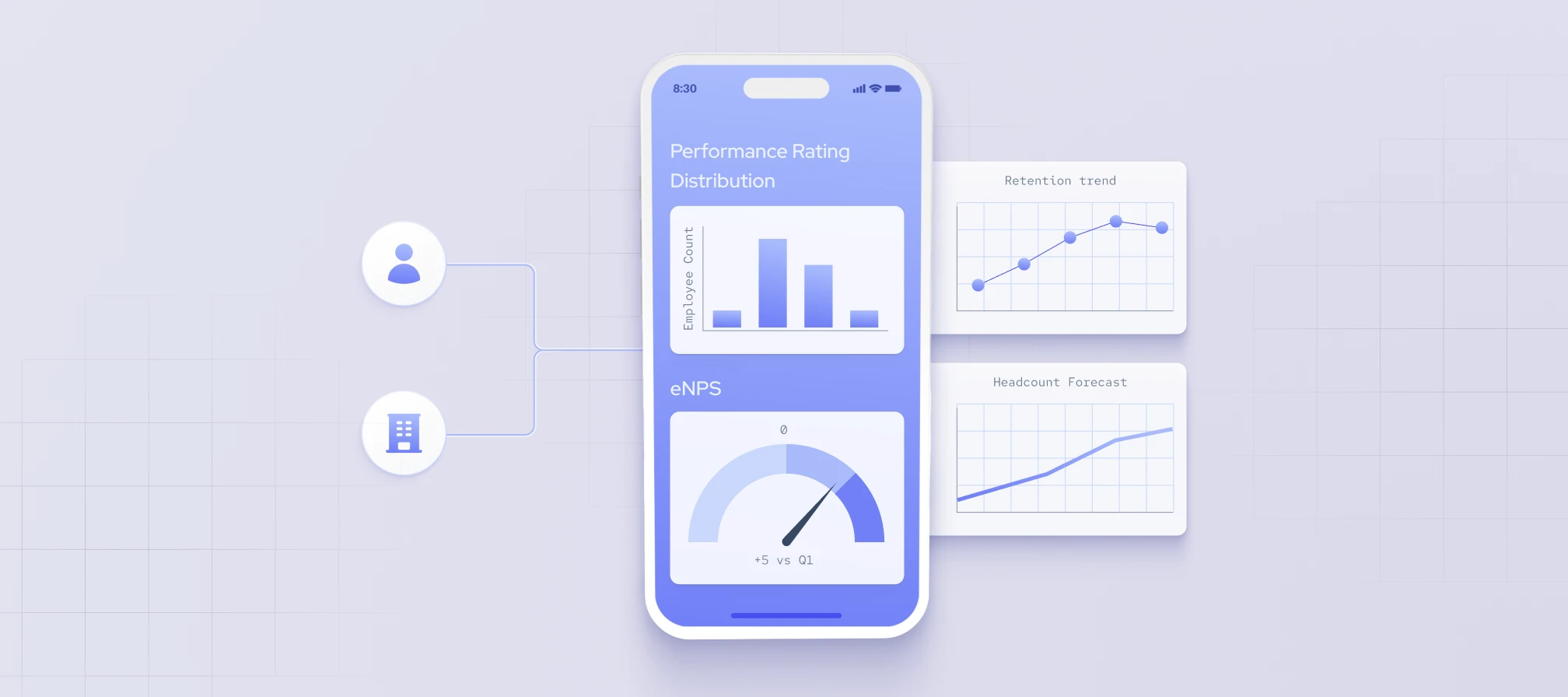
Workforce analytics helps organizations use workforce-related data to understand trends in their teams, plan for future needs, and make better-informed HR and business decisions.
In this article, we’ll cover what workforce analytics is, why it matters, how to implement it, and where you can apply it.
What is workforce analytics?
Workforce analytics refers to the process of collecting workforce-related data from internal and external sources, analyzing it, and turning the results into actionable information.
Internal data comes from an organization’s own systems, such as HR records, payroll, performance reviews, and employee surveys. External data shows what’s happening outside the company, such as hiring activity, job postings, and skills trends across an industry or region. Using both gives teams a fuller view of their workforce and how it compares to the wider labor market.
Workforce analytics uses data and statistical models to find patterns in this information. Employee-level details, like performance or tenure, are one input. Analysts review them alongside team, department, and market data to support workforce planning and business decisions.
As opposed to people analytics, workforce analytics takes a broader perspective on work in general instead of focusing solely on the people.
What is the purpose of workforce analytics
The main purpose of workforce analytics is to give leaders reliable information for decisions about people and resources. Instead of relying on intuition, teams can use data to plan headcount, guide recruitment, improve retention, and decide where to allocate budget and staff.
The focus is usually organization-wide. Workforce data can show which departments will need more people next year, which roles take the longest to fill, or which teams lose employees most often. These findings help companies act early instead of reacting to staffing gaps after they appear.
Workforce analytics also serves less tangible goals, such as team cohesion and company culture. For instance, employee surveys show how satisfied people are with current working conditions. Low-scoring areas point to what needs attention, while high-scoring areas can support employer branding and recruitment.
Over time, these insights help managers understand what attracts and keeps strong performers. Managers can then shape strategies that improve job satisfaction and motivation across the organization.
Benefits of workforce analytics
- Increasing retention rate by identifying turnover triggers, such as limited training or few promotion opportunities.
- Measuring which recruitment channels and strategies bring in candidates who stay and perform well.
- Reducing labor costs by finding sources of waste, such as excessive overtime, overstaffing, or manual processes.
- Making succession planning more accurate by estimating future turnover from historical patterns.
- Checking whether changes to policies, benefits, or working arrangements actually improve employee experience.
- Linking HR actions to business results, such as productivity or revenue per employee, so HR investments can be backed by data.
What are the main types of workforce data analytics?
Workforce data can be analyzed using four common analytics approaches: descriptive, predictive, prescriptive, and diagnostic. Each one answers a different question, from what’s happening in a workforce now to what to do about it next.
Descriptive workforce data analysis
Descriptive workforce analysis summarizes current or historical workforce information to show what’s happening or has happened within a workforce. It looks at details like job roles, skills, education, professional experience, hiring activity, and department sizes.
For example, a descriptive report might show how headcount in each department changed over the past year, or which skills are most common among engineering staff. This analysis is usually the first step. It sets a baseline that the other three approaches build on.
Predictive workforce analytics
Predictive workforce analytics uses historical data to estimate what’s likely to happen next. Organizations use it to anticipate risks and talent outcomes, such as which skills may become harder to find or how labor costs may change as the company grows.
Common methods include regression analysis, which measures how factors like salary or tenure relate to a specific outcome, and statistical forecasting, which projects future values from past trends. Teams also use multivariate analysis to study several variables at once, and machine learning to find patterns in large datasets that simpler models might miss.
Prescriptive and diagnostic workforce analytics
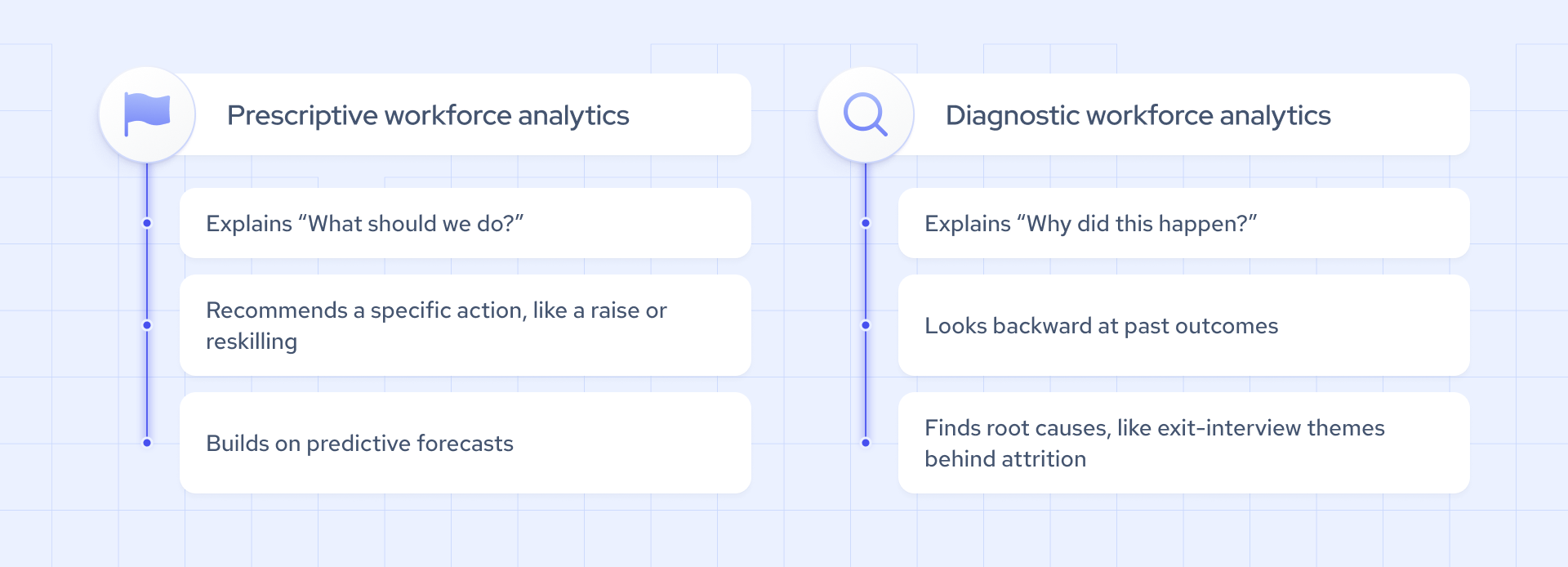
Prescriptive workforce analytics focuses on what actions could be considered, while diagnostic workforce analytics focuses on why a particular workforce outcome or change occurred. Both work alongside predictive analysis, which we go into in our prescriptive analytics and diagnostic analytics guide.
Prescriptive analytics builds on forecasts to compare possible responses. If predictive analysis shows a future shortage of data engineers, prescriptive analysis can weigh options such as hiring, retraining current staff, or working with contractors. The goal is to choose the course of action most likely to meet business objectives.
Diagnostic analytics looks back to explain the causes of a workforce outcome, whether positive or negative. For instance, if offer acceptance rates fell over two quarters, diagnostic analysis might compare salary offers, hiring timelines, and candidate feedback to find the reason. Understanding the cause helps teams fix the right problem instead of guessing.
How to implement workforce analytics?
Workforce analytics can draw on both current and historical data, collected internally or from external sources. Together, these inputs give teams evidence to support workforce planning and HR or business decisions. Software and statistical tools vary, but the basic steps of the process are similar:
- Identify a problem or question you want to address
- According to the problem or question, decide what data would help you address it
- Organize the data and build a dashboard or reporting view
- Choose a relevant benchmark for comparison
- Decide on the right analysis method and report your results
Internal systems show what’s happening inside your company, but they can’t show the wider talent pool. Coresignal’s real-time multi-source employee data adds that external view with publicly available professional information, such as job titles, experience, skills, and education. Combined with internal records, it helps teams see how similar roles are staffed across an industry, how professionals move between companies, and which skills are becoming more common. Our employee data goes back to 2016 and comes with a 176ms API response time.

Need fresh and historical data to optimize your business?
Use Coresignal's real-time multi-source data
Workforce analytics examples
Workforce analytics can reveal relationships, patterns, and possible contributing factors, but these findings don’t automatically prove cause and effect. Below are examples of workforce analytics that can lead to useful decisions.
- Training and engagement. A manager compares training completion data with employee survey scores across departments. A correlation analysis can show whether the two move together, though more engaged employees may simply sign up for more training.
- Turnover risk factors. An HR team uses a regression model to test how salary, tenure, job role, and promotion history relate to turnover. If underpaid employees leave more often, pay becomes a likely factor to confirm through exit interviews.
- Talent availability in a new location. A company planning an office in Austin, Texas, uses Coresignal’s employee data to see how many local professionals hold the roles it needs.
Workforce analytics vs HR analytics
The two terms often overlap, and organizations don’t always draw the line in the same place. Still, a common way to tell them apart is by scope.
In many organizations, HR analytics focuses on HR processes and their outcomes, such as recruitment, onboarding, compensation, training, and engagement. It helps HR teams see how well these programs work and where they can improve.
Workforce analytics tends to look more broadly at workforce composition, skills, capacity, performance, planning, and trends. It may also connect HR data with operational, financial, or external workforce data. For example, HR analytics might measure how long onboarding takes, while workforce analytics might compare staffing levels with customer support response times to see where added capacity would help most.
In practice, many teams use both, with HR analytics often feeding into broader workforce analysis.
Workforce analytics tools and software
Many HR analytics tools and workforce analytics platforms use employee-related data to help organizations answer workforce questions. The two categories often overlap in functionality, although individual platforms may focus on different areas, such as people analytics, planning, or productivity.
Three examples show this range:
- Visier People is a people analytics product that unifies people data from different systems and offers pre-built metrics, visualizations, and dashboards
- Anaplan is a planning platform whose workforce planning features let teams model headcount against financial budgets and run what-if scenarios
- ActivTrak focuses on workforce productivity analytics, using data on digital work activity to show how teams spend their time
Most workforce analytics solutions share a few core functions:
- Automated data collection and analysis
- Predictive analysis for long-term planning
- Benchmarking against past results or external standards
- Reporting and data management
Some platforms also add AI features that automate forecasts or let users ask workforce questions in plain language.
Applying workforce analytics: use cases
Workforce analytics data can be applied to three major categories: recruitment, retention, and talent management.
Recruitment
In terms of recruitment, workforce analytics tools support data-driven recruitment by helping you:
- Analyze publicly available professional data at scale;
- Analyze external talent market data, such as competitor hiring activity;
- Shortlist potential candidates;
- Match potential candidates with workforce needs;
- Identify opportunities to reduce recruitment costs;
- Monitor hiring outcomes for potential disparities.
Retention
In terms of retention, workforce analysis helps with:
- Tracking compensation for high-performing employees who may be underpaid;
- Analyzing patterns associated with productivity and engagement;
- Flagging patterns that may signal resignation risk.
Talent management
In terms of talent management, workforce analytics supports talent analytics efforts such as:
- Setting checkpoints regarding performance to measure and support future potential;
- Uncovering training or skill shortage to offer proper learning opportunities.
Gather insights for workforce analytics from multi-source data
Internal HR systems give a detailed view of your own workforce. External multi-source employee data adds wider context, covering professionals’ skills, experience, education, and job roles, as well as how careers progress across companies and markets.
Our Multi-Source Employee Data combines professional information from multiple public sources into structured records ready for analysis. Depending on the use case, teams can access it through APIs, cloud and data warehouse integrations, automation tools, or agent-ready methods such as our MCP Server. The Multi-Source Employee Dataset is also delivered daily, so workforce analysis can run on current records.
Coresignal's data helps companies achieve their goals
Get fresh web data for workforce analytics


