


The largest recent shift in every industry was the high adoption of AI-driven tools, and with it, the need for high-quality data became more important than ever. Whether you are training an algorithm or using the data without an additional processing layer, today, you must embrace this new type of intelligence or miss out on emerging opportunities.
One of my favorite ways of utilizing public company datasets is to build a sales prospect list. Coresignal provides data about millions of unique companies, but for this particular case, let's look at one use case: finding businesses that would be interested in buying our products.
One of our goals is to find American investment companies that are actively hiring. We know that firms that are looking for new opportunities and would be more likely to be interested in buying our products. This approach is especially effective if you want to find company info and track hiring trends in real time, ensuring your outreach targets the right businesses.
Using these parameters, we check the job postings, create a target company list, and set up webhook alerts to get daily notifications about new finds.
While we do this process using our Company API, you could try out Coresignal's self-service and explore the available data during a free trial.
How to do it?

Step 1: Sign up for a free account
First, visit Coresignal's self-service and register for a free account. With it, you will get 2,000 API credits for free.
- Instant and free access to millions of company profiles
- No credit card required
- Easy access with a Google business account
Ready?
Step 2: Open the Data Search
Once you register for your account and enter self-service, select the Data Search menu element, which will open a window with a natural language chat.

Step 3: Define and write a query
Let's come back to our goal. What kind of companies am I looking for?
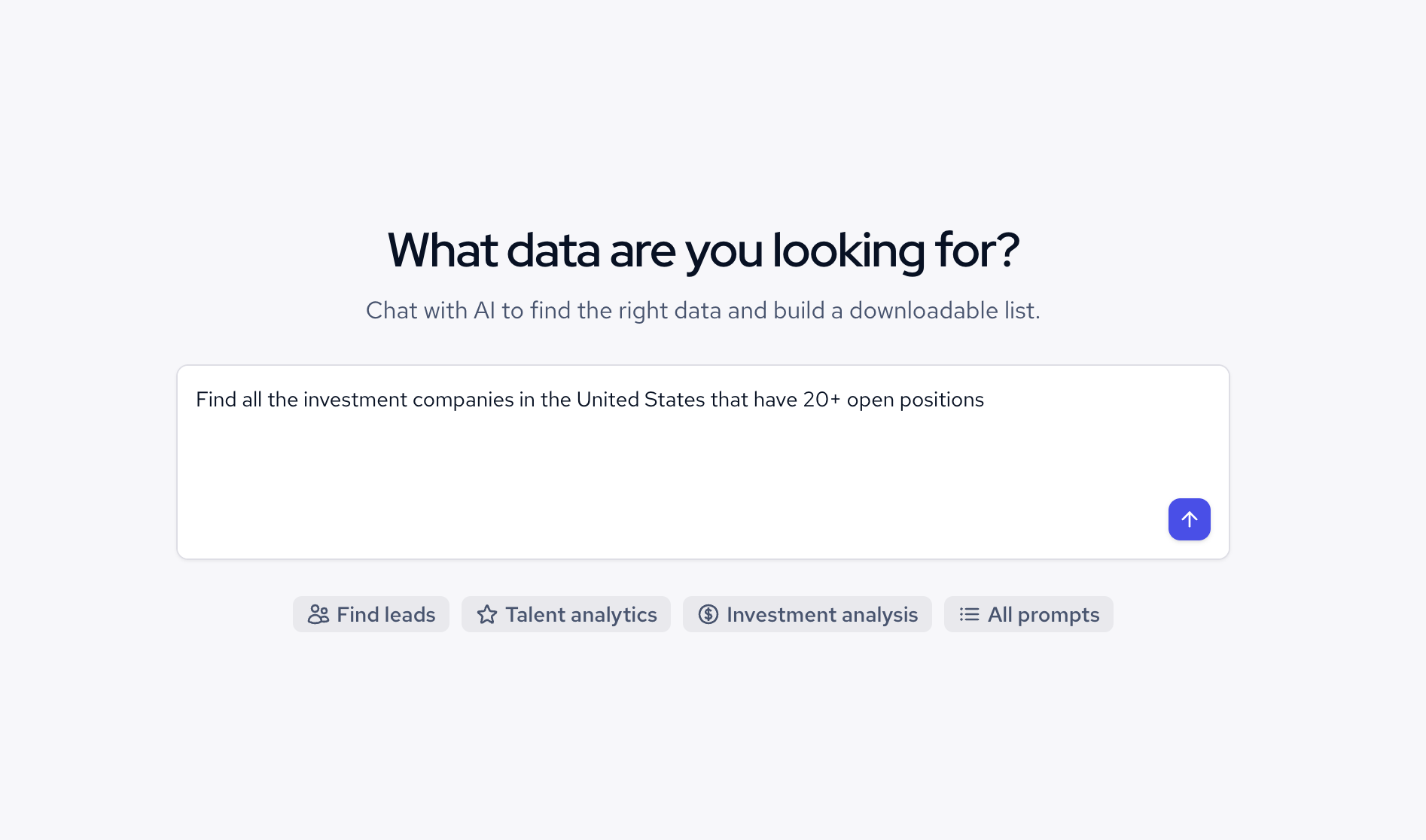
Since the goal was to find all the investment companies in the United States that are actively growing and hiring new people, I decided to add a filter about job postings count. My prompt looks like this: Find all the investment companies in the United States that have 20+ open positions.
Once I enter the prompt, the tool turns this request into a search query and returns data from our multi-source company dataset.
Step 4: Enrich the data
As you can see, the query has generated a list of American investment management companies actively looking for new employees.
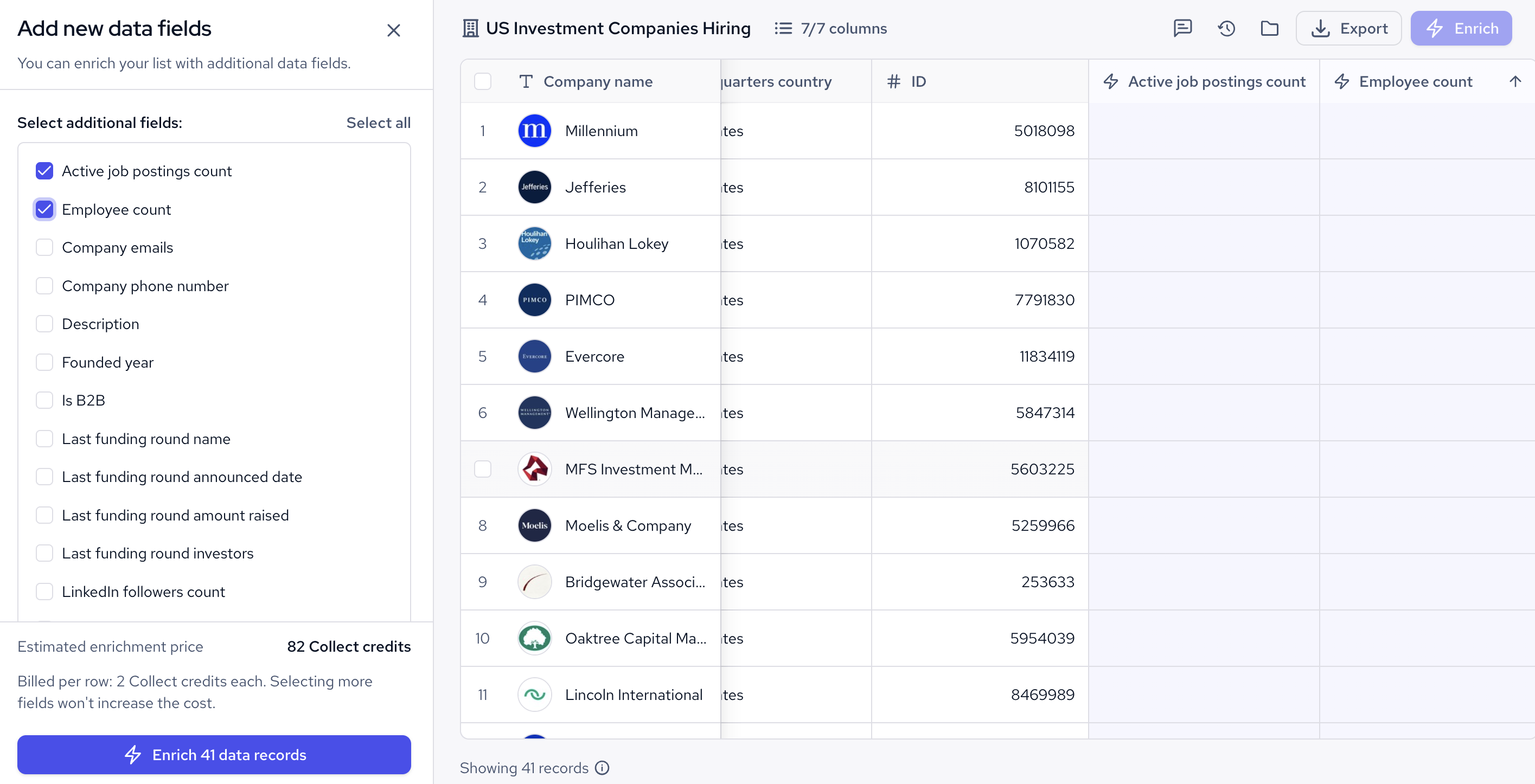
However, the initial list does not show the job postings count. You will have to enrich it to see how much each company is hiring. Simply press the Enrich button and you will see all the additional fields you can add to your list. I've chosen to include active job postings count and employee count to get a better picture, however, you can add even more fields if you want. The credit cost for enrichment stays the same.
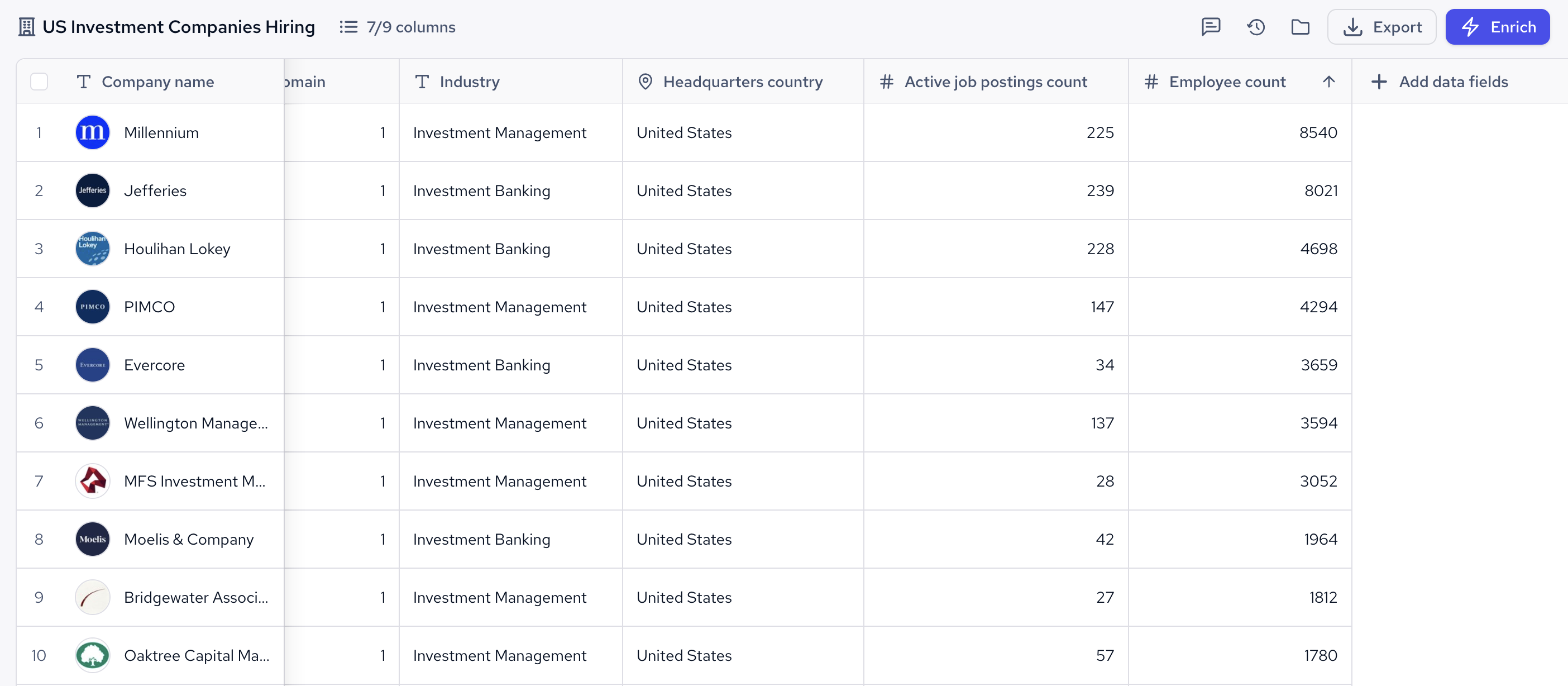
Here is how the same table looks after the enrichment:
Step 5: Edit your query in chat
You might need to update your filters if the list does not fit your requirements.
- Adjust the existing filters. To cast a wider net and get broader target account list, you can add more countries, specific keywords, or industries into your query.
- Add new filters. You might add more parameters to narrow your search, such as choosing a city or state instead of a country.
Step 6: Export the data in CSV or JSONL
Once you are done and happy with your query, you can export up to 100 records as a CSV or JSON file for preview. This option will return your exact list with the data fields you've chosen.
You might also want to download full records with 500+ data fields. Choose the Generate full JSONL option and get a full dataset of up to 10,000 records.


