Claude and ChatGPT can write, reason, and summarize well, but each model has a training cutoff, so events and changes after that date are missing. Neither model has built-in access to structured, current B2B data. Ask about a company’s latest headcount or open roles, and you’ll likely get an outdated answer.
A B2B data API closes that gap. It lets AI models and agents pull fresh, structured business data whenever they need it.
In this article, we compare the top B2B data APIs for Claude and ChatGPT, explain how each one connects to these models, and share how to choose the right one. We also cover how to use B2B data APIs with OpenAI models through the OpenAI API and Codex, OpenAI’s coding agent.
What is a B2B data API for Claude and ChatGPT?
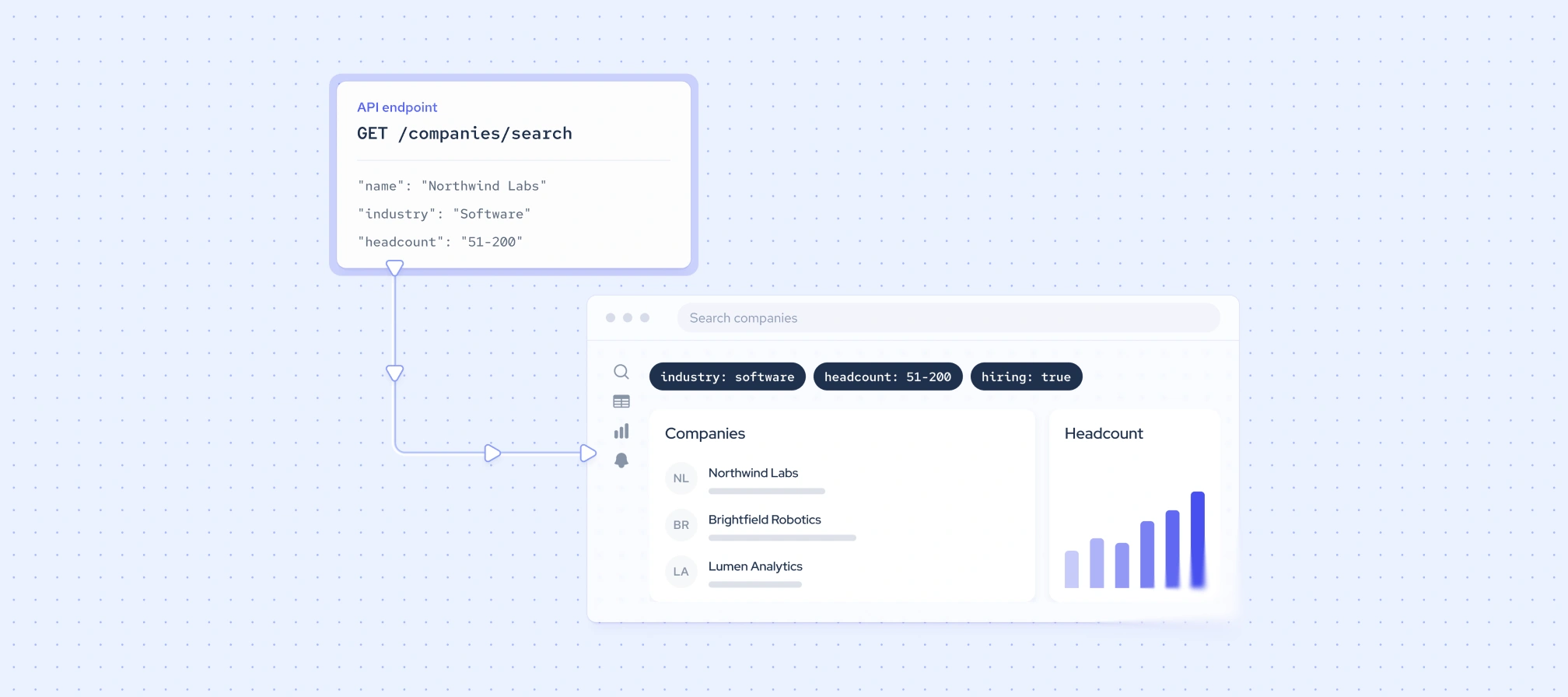
A B2B data API is a service that delivers structured company, employee, and job posting data on request. When connected to Claude or ChatGPT, it gives the model current business context that training data alone can’t provide.
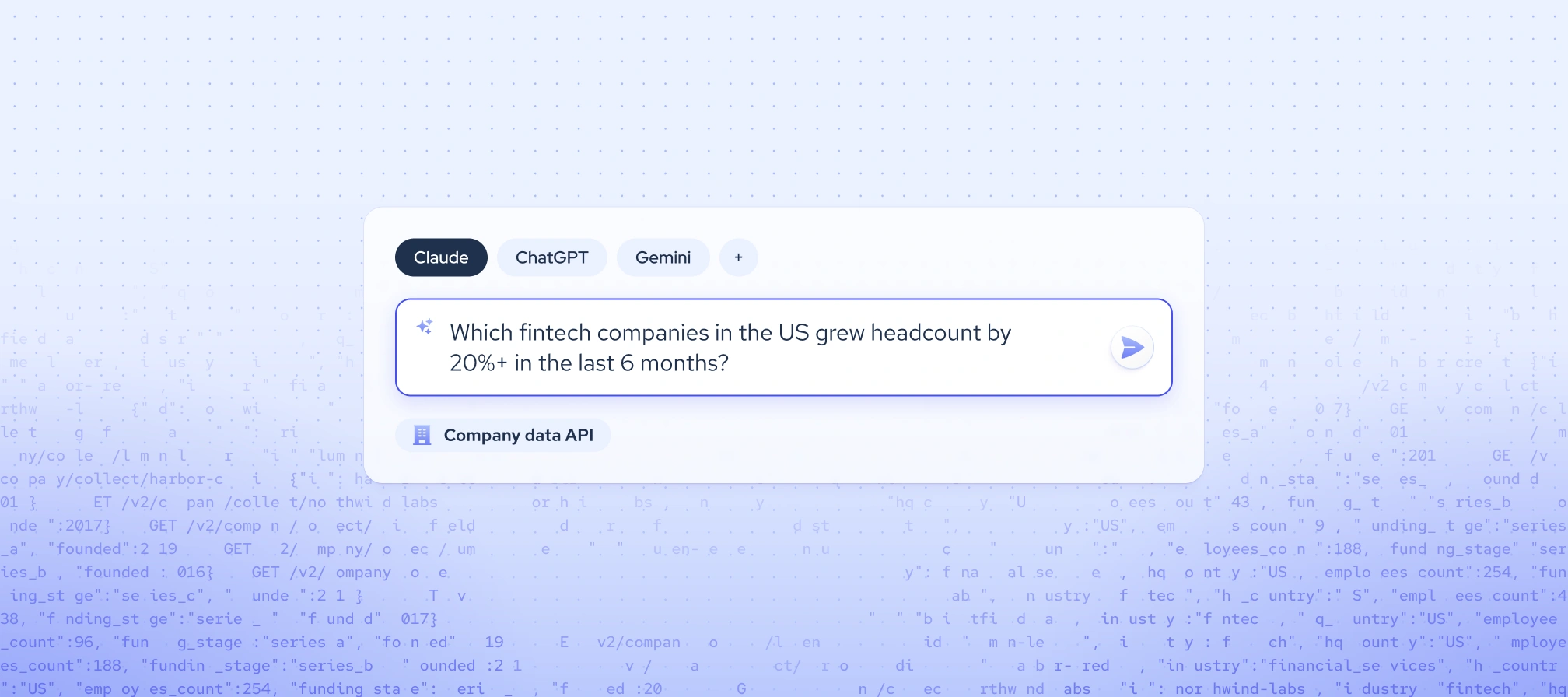
Both models can search the web, but web search returns unstructured pages that vary from query to query. It can’t reliably run filtered, bulk queries like “show fintech companies in the US that grew their headcount by 20% in the last 6 months.” It also can’t return consistent historical data, such as headcount over time.
A B2B Data API returns structured records with the same fields every time, so the model can compare, count, and filter them. That consistency is what makes B2B Data for AI useful for company and workforce research.
How Claude and ChatGPT connect to B2B data APIs
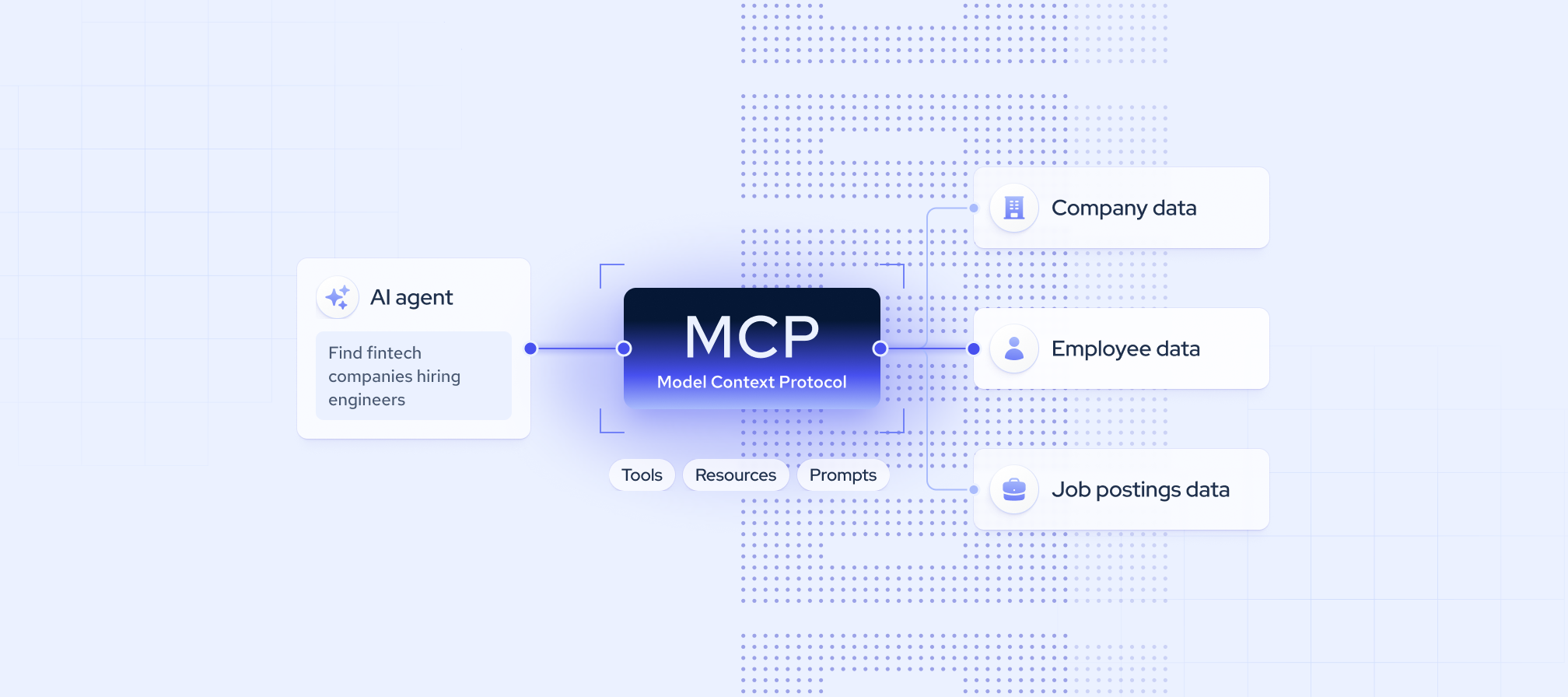
Claude and ChatGPT can’t query B2B data on their own. They reach an external API through a defined connection that a user sets up. There are three common ways to do this: tool use and function calling, Model Context Protocol (MCP) servers, and no-code automation platforms.
Keep in mind that MCP doesn’t replace an API. An MCP server is a standardized layer on top of a provider’s API, so the data still comes from the same source. Below is more information on different ways to connect B2B data APIs to Claude and ChatGPT.
Tool use and function calling
With this method, the data API becomes a tool the model can call. The flow works in four steps:
- The developer defines the tool, including its name, purpose, and inputs
- The model decides when to call it
- The developer’s code makes the API request
- The result goes back to the model, which uses it in its answer
This works with any REST data API, the most common type of web API. The Claude API calls this “tool use,” while the OpenAI API calls it “function calling.”
The main benefit is control. You decide which endpoints the model can reach, which fields it receives, and how much data reaches it. This approach suits developers building custom agents or AI products. The tradeoff is more custom code to write and maintain.
MCP servers
MCP is an open standard that lets AI clients discover and call a provider’s tools without custom integration code. It’s used in two places:
- Developer APIs. Developers can connect a remote MCP server through the Claude Messages API or the OpenAI Responses API, so their own product uses the data behind the scenes.
- AI coding and agent tools. Technical users can add an MCP server to Claude Code, Codex, or Cursor with one command or config entry, then query data directly with no code.
The benefits include less integration work, automatic tool discovery, and often OAuth sign-in (logging in with an account) instead of managing API keys.
No-code automation platforms
Platforms like n8n let teams build AI agents visually. An AI Agent node runs on a Claude or OpenAI model and calls connected tools, including B2B data APIs.
There are two ways to connect a data API. The first is a native integration node, if the provider offers one, which makes setup easier. Coresignal’s n8n integration is one example. The second is the generic HTTP Request tool, which works with any REST API. This means most B2B data APIs can connect to n8n, as long as you have API access.
This approach suits go-to-market (GTM), revenue operations (RevOps), and operations teams building repeatable workflows, such as enriching new CRM accounts or monitoring target companies.
Top B2B data APIs for Claude and ChatGPT compared
We chose providers that offer a documented REST API, so each one works through Claude tool use or OpenAI function calling. Most also offer an official MCP server for faster setup in AI clients. Providers with a REST API, including those below, can generally also be used in no-code platforms such as n8n.
The table below gives a quick overview, followed by a closer look at each provider.
*An API endpoint that accepts a plain-language request and returns structured records.
Coresignal
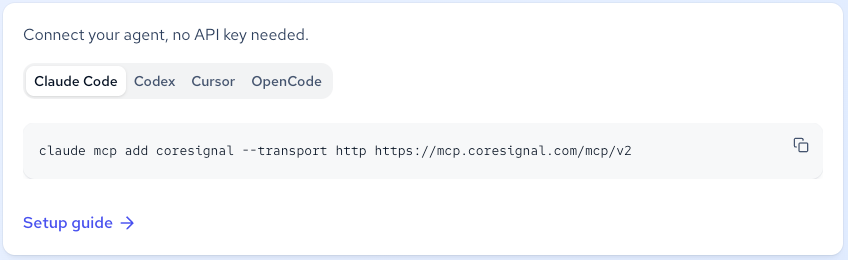
Coresignal is one of the few providers that combines company, employee, and jobs data, historical records, a natural-language search API, and an official MCP server in one place.
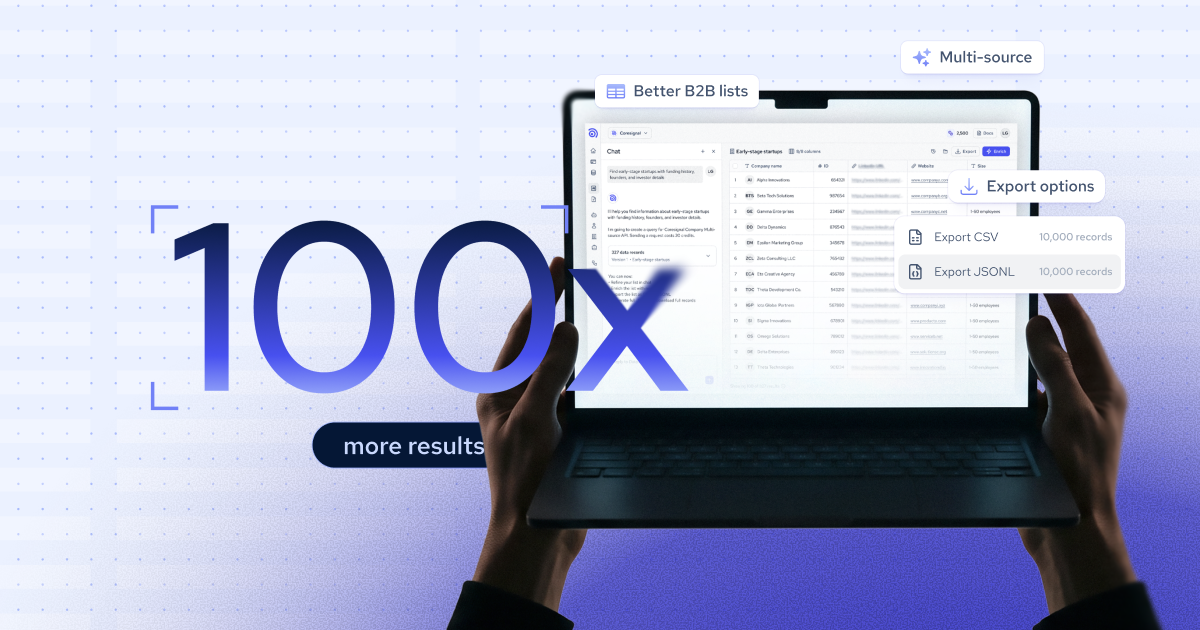
Coresignal is a public data provider with 5B+ multi-source data records, each deduplicated and timestamped, so the model works with one current record per entity.
- Data types: company, employee, jobs, and social posts data, with company and employee data available since 2016 and job postings since 2020.
- Documented for: Claude Code, Codex, Cursor, and OpenCode, each with a one-line command or config entry.
- How it connects: through REST APIs with Claude tool use or OpenAI function calling, or through the MCP server with OAuth sign-in. The Agentic Search API turns a plain-language prompt into a structured query, and the MCP server lets the model check which fields exist before it spends credits.
- Pricing: a 7-day free trial with 2,000 credits. Paid plans start at $49 per month for 2,500 credits.
- Best for: AI, sales tech, HR tech, investment, and market research teams that need company, workforce, and hiring context from a single source.
- Considerations: credit costs vary.
Crustdata
Crustdata stands out for its agent tooling, with ready-made plugins and connectors that put people and company data within easy reach of Claude and ChatGPT.
It’s a B2B data API with an indexed database refreshed every 1-30 days, plus live endpoints that pull fresh data from the web at request time.
- Data types: company, people, jobs, and social posts data, plus web search and fetch endpoints.
- Documented for: Claude Code, Codex, and Cursor.
- How it connects: through its REST API with Claude tool use or OpenAI function calling, or through a hosted MCP server with OAuth sign-in. It also offers plugins for Claude Code and Codex, a ChatGPT connector, and natural-language people search in beta.
- Pricing: new accounts get $20 in free credits. Self-service usage is credit-based, and enterprise plans start at four figures per month.
- Best for: sales, recruiting, and venture capital teams building agents that search and enrich people and company records.
- Considerations: live endpoints and contact enrichment are limited to enterprise plans.
Bright Data
Bright Data gives Claude and ChatGPT the widest reach into the live web in this comparison, with B2B records as one part of a much larger web data offering.
Bright Data is a web data company whose APIs and MCP server let agents search, scrape, and pull structured records from public websites, alongside pre-collected datasets.
- Data types: company, employee, and job postings data, plus live web search and page scraping.
- Documented for: Claude Code, Cursor, and Codex.
- How it connects: through its REST APIs with Claude tool use or OpenAI function calling, or through a hosted or self-hosted MCP server authenticated with an API token. The Deep Lookup API accepts plain-language requests and returns structured results.
- Pricing: a free tier with 5,000 credits per month. Deep Lookup costs $1 per matched record, and other products are priced by usage.
- Best for: AI product and research teams that need live web data alongside B2B records.
- Considerations: pricing differs from product to product.
People Data Labs
People Data Labs is a good fit when an agent needs to enrich a known person or company, though connecting it to Claude or ChatGPT takes more setup than the providers above.
Overall, PDL is a developer-focused data API that matches person and company records from identifiers such as emails, profile URLs, or website domains.
- Data types: person, company, IP, and job postings data, with job postings in beta.
- Documented for: no official setup guides for Claude Code, Codex, OpenCode, or Cursor.
- How it connects: through its REST API with Claude tool use or OpenAI function calling. Its search endpoints accept SQL or Elasticsearch queries, which the model can write itself, and third-party services, like Zapier, that offer MCP connectors.
- Pricing: a free plan with up to 100 records per month. Pro plans start at $98 per month.
- Best for: developers adding person and company enrichment to their own products.
- Considerations: no official MCP server.
Crunchbase
Crunchbase is a more unique case in this comparison, giving Claude and ChatGPT deep private market context rather than broad workforce or hiring data.
It’s a private market data provider whose API and MCP server cover company profiles, funding rounds, investors, and acquisitions, along with predictions on company growth and exits.
- Data types: company, funding, investor, and acquisition data, plus people data limited mostly to founders and executives.
- Documented for: Claude Code, Codex, and Cursor.
- How it connects: through its REST API with Claude tool use or OpenAI function calling, or through a first-party MCP server where users sign in with their Crunchbase account through OAuth. It also offers ready-made skills for common research workflows.
- Pricing: all Crunchbase accounts can connect to the MCP server, with usage allowances based on the account tier. API and embedded access are priced through sales.
- Best for: investors, analysts, and go-to-market teams researching private companies, funding activity, and deals.
- Considerations: no job postings data.
PredictLeads
PredictLeads is a focused pick for agents that watch companies for change, such as new hires, funding rounds, or technology shifts, rather than look up individual people.
It’s a company intelligence provider that turns public web activity into structured events, with historical data going back to 2016.
- Data types: company, job openings, news events, financing events, technology, product, and business connection data.
- Documented for: no client-specific guides; its MCP docs cover any client that supports HTTP-based MCP connections.
- How it connects: through its REST API with Claude tool use or OpenAI function calling, or through a hosted MCP server that accepts OAuth sign-in or API credentials. Webhooks can also notify an agent when a tracked company changes.
- Pricing: up to 100 free API calls per month. Pay-as-you-go pricing starts at $0.04 per API credit, with a $40 minimum monthly charge.
- Best for: sales, investment, and market research teams that monitor target companies for buying or growth signals.
- Considerations: no employee data.
How to choose a B2B data API for Claude and ChatGPT
The right API depends on the workflow you’re building, whether that’s account research, enrichment, or market mapping. LLMs also add requirements that traditional data buyers don’t face, such as context window limits (how much text a model can process at once) and costs that add up with every call an agent makes.
Data types and coverage
Start by matching the data types to the task. Company data suits account research, employee data supports talent mapping and org-level research, and job postings data reveals hiring signals.
Historical data is a separate factor. It matters when an agent needs to answer trend questions, such as how a company’s headcount has grown over time. Without it, the model can only describe a company as it looks today.
Data freshness
LLMs already have a knowledge cutoff, so a data API that updates infrequently brings back the same problem. An agent working with months-old records can still give outdated answers about headcount, roles, or open jobs.
Check how often each provider updates its records and whether it can fetch data on demand at the time of the request. Record-level timestamps also help, since they let the model see how recent each data point is.
Response size and structure
Full company or employee records can be large, often with hundreds of fields per record. Oversized responses fill the context window, raise token costs (what model providers charge for the text a model processes), and can lower answer quality, since the model has to sort through data it doesn’t need.
Look for response field selection, which lets the agent request only the fields a task needs. A consistent schema, meaning the same field names and structure in every response, also matters, because it lets the model parse and compare records reliably.
Search capabilities
Data APIs handle search in two main ways. With filter-based search, the model must build exact queries using the provider’s correct field names and accepted values. This gives precise control, but a single wrong field name or value can return empty or misleading results.
With natural-language or semantic search, the model can pass the user’s intent directly, such as “fintech companies in Austin hiring data engineers.” Semantic search matches results by meaning rather than exact keywords, so the provider’s API handles the translation into a structured query.
Access methods and documentation
Check whether the provider offers a REST API, an MCP server, or both. A REST API gives developers full control through tool use or function calling, while an MCP server makes setup faster in AI clients like Claude Code, Codex, and Cursor.
Also look for machine-readable documentation that AI tools can read, such as an llms.txt file. This is a plain-text file that summarizes a provider’s documentation in a format AI tools can read easily, which helps coding agents write correct API calls with less trial and error.
Cost control
Agents can make many calls in a single task, so costs can climb without the user noticing. Look for clear per-call pricing, visibility into the credits or usage each request consumes, and safeguards before large data pulls, such as previews or confirmation steps.
Field selection also saves money on the model side. Every API response the agent receives goes back to the model as input, and model providers charge for that text. If the API returns full records with every field, you pay data credits for the records and also pay Anthropic or OpenAI for the model to read all that text, most of which it doesn’t need. If the API returns only the five fields that matter, such as name, industry, headcount, location, and funding, the token cost drops considerably.
Final thoughts
Claude and ChatGPT are only as useful for B2B research as the data they can reach. Web search fills some gaps, but structured, current company, employee, and jobs data still has to come from a dedicated data API.
The right API for your agent is the one that matches your workflow and fits how LLMs work. It should return fresh, structured records with consistent fields, let the model request only the data it needs, and connect through tool use, function calling, or an MCP server without heavy setup.