


Individual records rarely tell the full story on their own. A single sale, one job posting, or one customer interaction is just a data point, useful in isolation, but limited on its own. To turn these raw employee, jobs or company data details into something a business can actually act on, it needs to be grouped and summarized so patterns, trends, and outliers become visible.
This article covers what data aggregation is and how the process works step by step, the different types and techniques used to group data, and the benefits and limitations to weigh before relying on it. It also breaks down the main tools available, common calculations used to summarize grouped data, and how aggregation applies across industries such as finance, marketing, cybersecurity, and sales.
What is data aggregation?
Data aggregation is the process of collecting information from multiple sources and combining it into one view, so it is easier to analyze and use. Businesses aggregate data to spot trends, compare performance over time, reduce manual reporting work, and make decisions based on a broader set of facts instead of isolated records. For example, a retail company might combine daily sales data from its website, physical stores, and ad campaigns into one report to see which products sell best and which marketing channels bring in the most revenue.
How data aggregation works: step by step
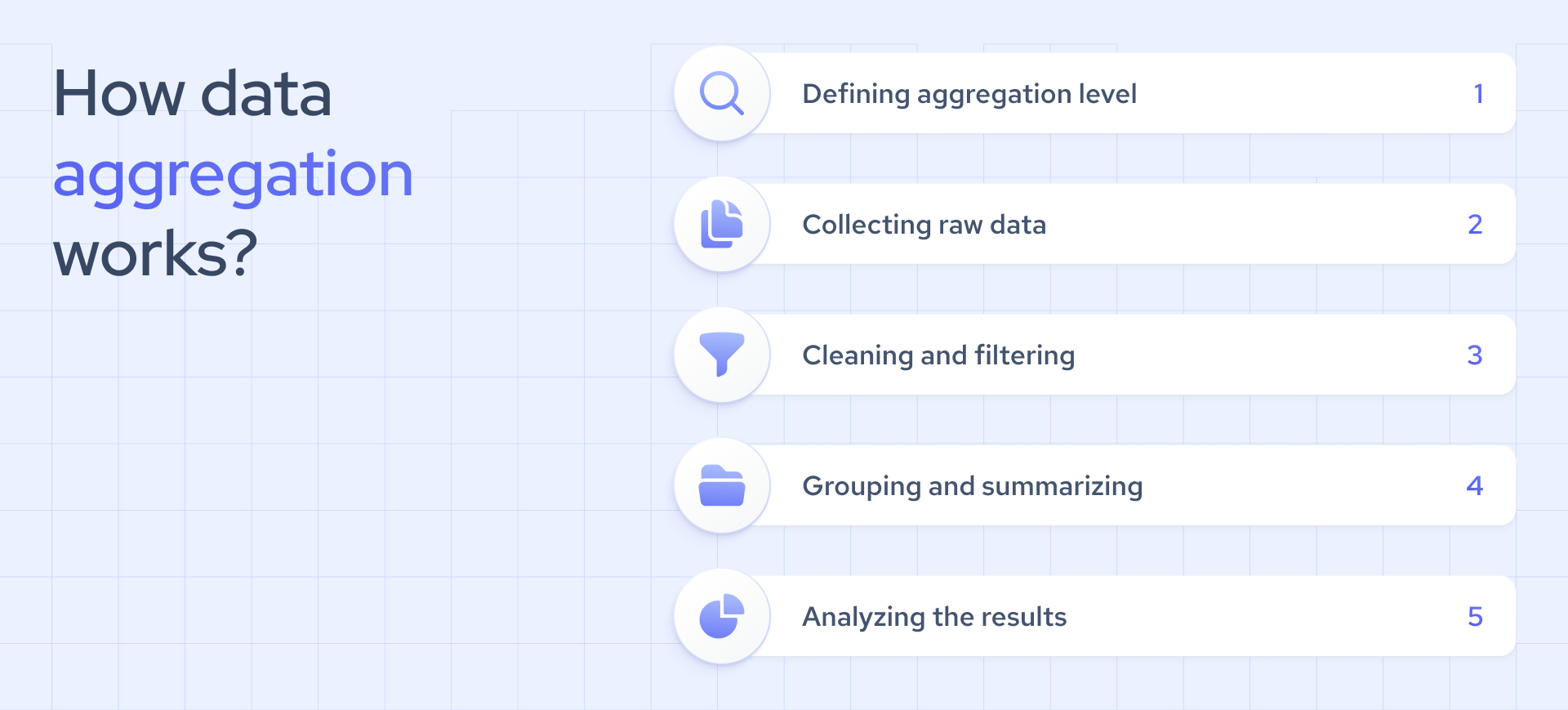
Data aggregation transforms scattered, raw records into a single, actionable summary. The process begins by defining how you will aggregate the data and what the final output should look like. From there, you collect, process, and group the data. The final step is to validate and analyze the summarized results before using them to inform decisions.
1. Choose how the data will be aggregated
Aggregation can happen manually, through a database, or through an automated pipeline. Manual aggregation using spreadsheets, basic formulas, or one-off queries is often sufficient for smaller projects or single tasks. Database-based aggregation uses queries or built-in functions to group and summarize records directly within a database, which suits recurring reporting needs. Automated aggregation relies on scripts, ETL tools, or a provider's built-in aggregation layer to handle large volumes or continuously refreshed data without manual intervention. The right approach depends on data volume, how often the output needs updating, and the technical resources available in-house.
2. Define the purpose and aggregation level
Before you collect or aggregate data, define the question you need to answer and the level of detail required. Set the right granularity and choose reporting periods, such as daily, weekly, or monthly. If your source data updates regularly, determine how often to poll or refresh it. Making these decisions early prevents unnecessary rework. We cover time-based, spatial, and category-based aggregation types later in this article.
3. Collect and combine the source data
Gather raw records from all relevant sources, including internal systems, APIs, or third-party providers, and unify them into a single structure. Providers like Coresignal manage multi-source collection and deduplication before delivering the data, so your team can work with AI-ready, structured records from the start. For example, it delivers structured, normalized and deduplicated company data through Company data API.
4. Process and filter the data
After collection, clean and filter the raw data to remove inconsistencies, duplicates, or irrelevant information. This step ensures that only high-quality, relevant data continues through the aggregation process.
5. Group and summarize the data
Group the prepared records by a relevant dimension, such as time, location, category, company, product, or customer segment. Then, summarize each group using calculations like totals, counts, averages, minimums, or maximums.
6. Store, validate, and analyze the results
Finally, store the aggregated data securely in databases or cloud solutions. Check the results for accuracy, then analyze them using advanced analytics, machine learning models, or business intelligence tools.
What are the benefits and limitations of raw data aggregation?
Benefits of raw data aggregation
- Makes useful insights easier to identify. While individual records and unaggregated data often provide limited value, aggregating and summarizing data uncovers patterns, outliers, and trends that are otherwise difficult to detect. This process transforms raw data into a foundation for informed decision-making.
- Enables statistical analysis. Aggregating data at the appropriate level and reporting interval provides a reliable basis for calculating averages, distributions, and correlations. Without this structure, comparisons across time periods or categories lack consistency and reliability.
- Supports marketing analysis. Aggregated data allows marketing teams to measure campaign performance, segment audiences, and monitor engagement trends across channels and time periods. This approach replaces assumptions with a clear understanding of the factors driving results.
- Supports sales analysis. Aggregated data enables sales teams to track pipeline performance, identify high-converting segments or regions, and forecast revenue with greater accuracy. Coresignal delivers data that is already aggregated and structured across companies, employees, and jobs, allowing sales and RevOps teams to focus on analysis rather than data preparation.
Limitations of raw data aggregation
- Reduced data granularity. When you summarize records into totals or averages, you lose important individual details. To keep your data actionable, select an aggregation level that fits your specific use case. Avoid defaulting to broad summaries that strip away the nuance your business needs.
- Dependence on source data quality. Aggregated results are only as strong as the underlying records. If your source data contains errors or gaps, those issues will persist in your summaries. Prioritize validating and cleaning your data before aggregation to avoid costly problems down the line.
- Risk of masking segment-level differences. Combining everything into a single total can hide important variations between regions, customer segments, or time periods. To surface these insights, group your data by the dimensions that matter most to your business question. This approach keeps critical differences visible and actionable.
- Need for consistent aggregation rules. To compare results across time periods or datasets, you need to apply the same definitions and calculations every time. Establish a clear methodology from the start and document your process. This ensures your results remain consistent and comparable as your data evolves.
What is the difference between data collection and data aggregation?
Data collection is the process of gathering individual, raw data points. Each record stands for a single observation, transaction, or event, such as one customer's purchase, one survey response, or one sensor reading. The goal is to achieve completeness and accuracy at the individual level.
Data aggregation takes those individual records and combines them into summary metrics, such as totals, averages, counts, or other calculations, at a chosen level. For example, you might look at daily sales totals or average response time by region. The goal is to reveal patterns or trends that are not visible when you look at single records alone. One example of a comprehensive data source is Coresignal’s real-time multi-source company dataset.
What are the main types and techniques of data aggregation?
Types based on how data is grouped
- Time based aggregation. It groups records by intervals such as hourly, daily, weekly, or monthly. This approach reveals how metrics change over time and is the standard for tracking trends like monthly headcount growth or weekly job posting volume.
- Spatial aggregation. It groups records by geographic dimensions such as city, region, or country. This method helps you compare how metrics vary across locations and is valuable for market sizing, analyzing regional hiring trends, or comparing company density in different territories.
- Category based aggregation. It groups records by shared attributes such as industry, company size, or job title. Instead of focusing on time or location, this approach highlights patterns within specific segments, for example, average salary by seniority level or headcount by industry vertical.
Manual vs. automated data aggregation
- Manual aggregation takes significantly more time than automation. It often means exporting data, reviewing it in spreadsheets, and reformatting files to align with other sources. Depending on the amount and variety of data, this process can stretch from a few hours to several days. For small, one-time tasks, manual work may be sufficient. However, when you need to handle recurring reports or large datasets, automation is the smarter, more efficient option.
- Automated aggregation eliminates manual effort. With the right tools or data providers, you can collect, organize, and summarize data from multiple sources in minutes instead of days. For example, Coresignal delivers company, employee, and job data that is already aggregated, deduplicated, and structured. This means your team can focus on analysis and decision-making, not on repetitive export and reformatting tasks.
Common aggregation calculations
After grouping records, the next step is to summarize them using a few key calculations. These are the most widely used methods:
Choosing the right calculation depends on the business question at hand. Sums and counts are best for measuring volume, while averages and medians help you understand what is typical within a group.
Main data aggregation tools
Selecting the right tool starts with understanding both the type of data you are aggregating and how that data moves within your existing systems. The main categories of tools each serve distinct needs, and leading teams often rely on proven examples within each category.
Examples of data aggregation
Businesses frequently gather large amounts of data about their online customers and other website visitors. In the case of any company that sells a product or service online, aggregated data might include statistics on customer demographics (e.g., gender, average age, location, etc.) as well as behavior indicators (e.g., average number of purchases or subscriptions).
An organization’s marketing department can use this aggregate data to optimize customers’ digital experiences through personalized messages and other similar strategies.
What is data aggregation in the financial and investment sectors?
Finance and investment companies increasingly rely on public web data to guide clients and make predictions on market trends. Most of this data comes from news articles that track stock market changes and key industry developments.
Financial services firms turn to data aggregators to produce daily, quarterly, and annual reports with in-depth industry analysis. They group company or market events by time period, industry, geography, or event type, then distill these into actionable insights. For instance, tracking the number or value of funding rounds by quarter and industry helps firms monitor investment activity across sectors. This approach saves executives valuable time and ensures they are not left piecing together information from scattered news sources.
Manual aggregation often leads to gaps or inaccuracies. Missing information can quickly undermine the reliability of a dataset and compromise decision-making.
Credit decisioning tools use the same principles. By combining financial records, payment history, company data, and other signals, these tools generate risk indicators that help lenders evaluate applications with greater consistency and confidence.
Today, leading firms are shifting from periodic reports to real-time data APIs. Live updates on funding rounds, staff changes, and executive moves give investment teams a competitive edge. With Coresignal’s real-time data API, teams can act quickly and make decisions with confidence.
What is data aggregation in the travel industry?
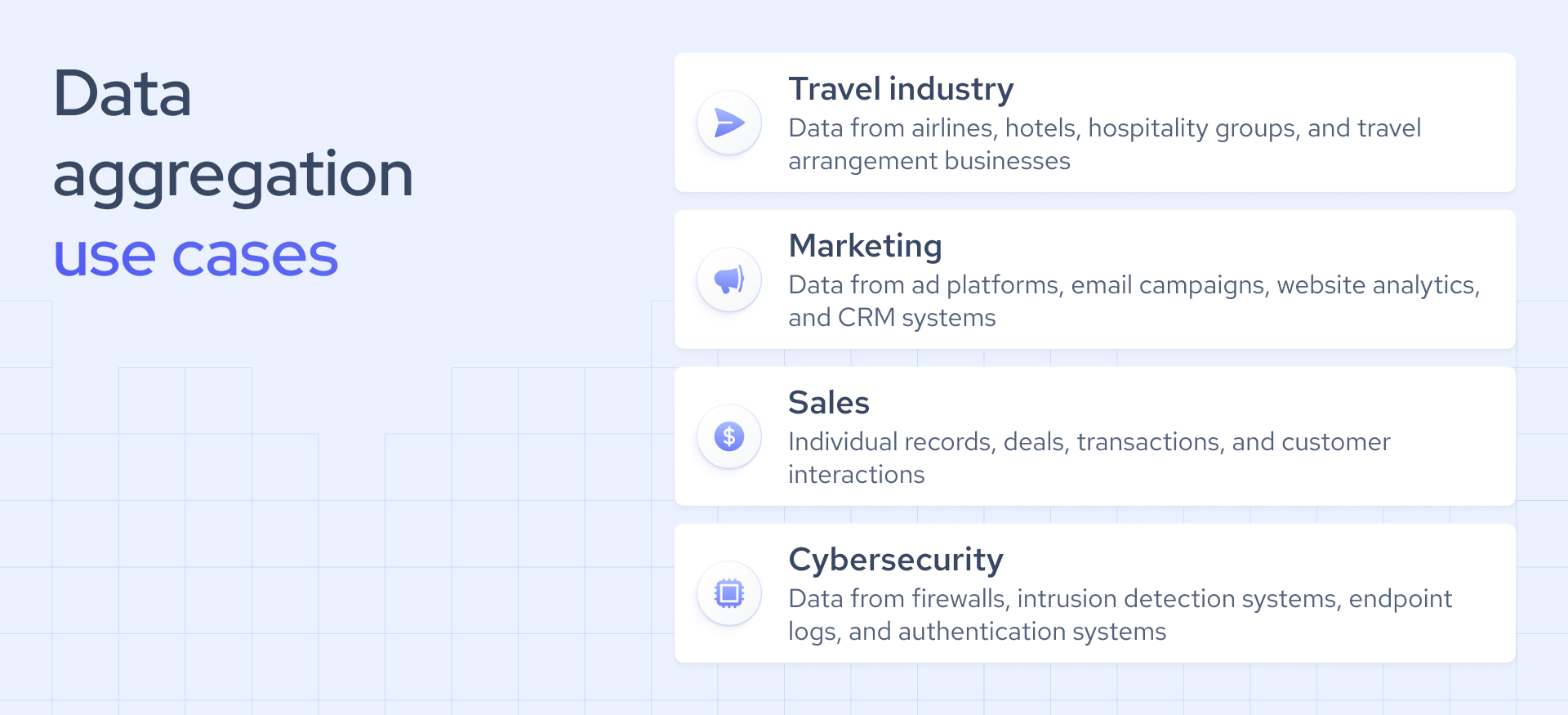
Data aggregation in the travel industry refers to gathering information across airlines, hotels, hospitality groups, and travel arrangement businesses to monitor headcount changes, spot growth signals, analyze trends, and build cleaner market maps for sales, partnerships, and competitor research.
Coresignal helps make that process easier with multi-source data on companies, employees, and jobs. This is useful when teams want to see which brands are expanding, what roles they are hiring for, and how the market is shifting across segments.
What is data aggregation in marketing?
Data aggregation in marketing is the process of combining data from ad platforms, email campaigns, website analytics, and CRM systems into a single, summarized view. Records are grouped by time period, channel, or audience segment, then summarized into a single view.
For instance, teams can calculate total conversions by campaign, average cost per lead by channel, or conversion rates to identify which channels truly deliver results, not just high volume. Without aggregation, marketers are left to manually collect and reconcile data from each platform. This process is not only slower but also increases the risk of errors.
What is data aggregation in cybersecurity?
Data aggregation in cybersecurity brings together information from firewalls, intrusion detection systems, endpoint logs, and authentication systems to create a unified view. On their own, individual security events rarely point to a threat. When you group and summarize data across systems, however, you can uncover patterns that would otherwise go unnoticed.
For example, you can group login attempts, failed authentications, and network traffic events by user, device, IP address, or time period. Summarizing these into counts or thresholds, such as failed login attempts per account per hour, helps you spot unusual activity. If you see a sudden spike across multiple systems, it can signal a brute-force attack or compromised credentials. This approach gives security teams a clear signal to investigate, instead of forcing them to sift through raw logs one by one.
What is data aggregation in sales?
Data aggregation in sales means bringing together sales data, such as individual records, deals, transactions, and customer interactions, into one clear, summarized view. By grouping records by time period, sales rep, region, or product line, you can quickly uncover performance patterns that would otherwise remain hidden.
Aggregated results show key metrics, such as total revenue, units sold, average deal size, or conversion rates. This approach allows teams to compare performance across sales reps or regions and spot sales trends as they develop. Rather than reviewing deals one by one, sales leaders gain business insights on which segments are strong and where pipeline gaps need attention.
What are the main data aggregation levels?
Data aggregation comes in several levels of detail. The right choice depends on whether you need precise insights or a broader perspective. Below, we break down the three main aggregation levels, starting with the most detailed.
Fine-grained aggregation
Fine-grained aggregation keeps your data as close as possible to its original detail. It summarizes information over small groups, such as individual days or specific customer segments. For instance, looking at website visits by hour reveals detailed traffic patterns throughout the day. This approach is essential when accuracy is critical, such as pinpointing the cause of a sudden spike in errors or activity.
Intermediate aggregation
Intermediate aggregation organizes data into broader categories, making it easier to compare results while sacrificing some detail. For example, aggregating website visits by week smooths out daily fluctuations but still highlights short-term trends. This level works well for regular reporting, giving teams a clear view of trends without the distraction of daily noise.
Coarse-grained aggregation
Coarse-grained aggregation summarizes data into the broadest categories. While it preserves the least detail, it makes long-term patterns easy to spot. For example, aggregating website visits by quarter highlights overall growth or decline over time. This level is best suited for high-level strategic reviews, such as board reports, where the focus is on the big picture rather than daily changes.
Final thoughts
Data aggregation is one of the most powerful methods of compiling data for statistical analysis. This process can help you extract data that provides valuable insights into the effectiveness of your products, services, or marketing campaigns.
Depending on your objectives and the industry your organization is in, different reporting and polling periods may be chosen. However, automated data aggregation is generally considered to be more efficient than its manual counterpart.
Data aggregation can ultimately impact nearly every significant aspect of your business operations. Therefore, it’s important to choose your data collection and aggregation methods wisely.


