


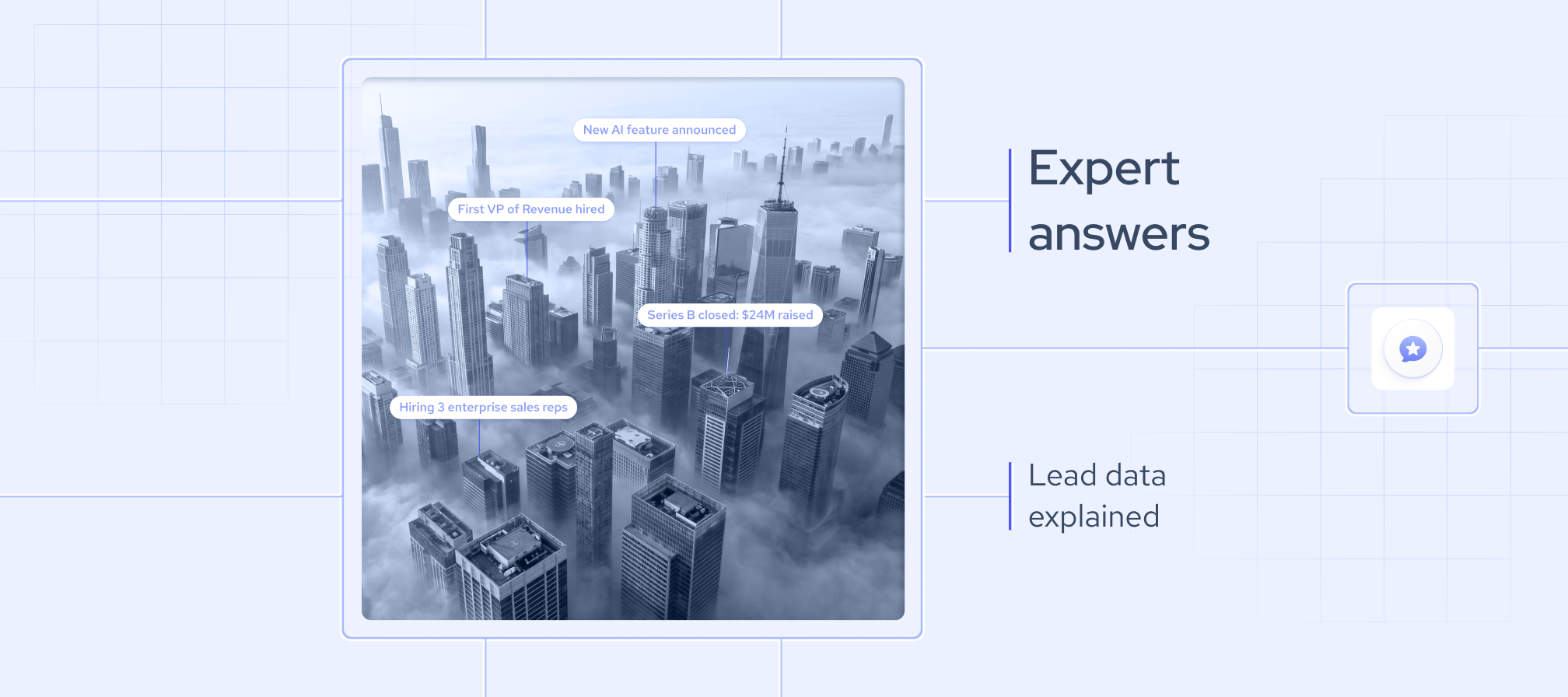
There are two types of sales teams: those still working only with contact lists and those acting on enriched data. One of them is losing deals to the other.
Mass outreach is no longer effective. Buyers are harder to reach, inboxes are saturated, and generic messages rarely get a response. Recently, I read the 35th edition of The CMO Survey, which says that marketing leaders are facing the highest level of economic pessimism since 2020. Teams now face growing pressure to deliver measurable results, not just volume.
Structured public business data is driving this shift. Signals like hiring activity, leadership changes, technology adoption, and company growth are now accessible at scale.
As a data strategy consultant at Coresignal, I have helped sales teams leverage data to drive results. Drawing on my hands-on experience with data-driven sales and marketing teams and large-scale, multi-source datasets, I am sharing practical insights in this guide. Here, you will find clear answers on how lead data works and how to use it effectively.
If your sales team wants to get more from data, reach out to our team or me. We’ll help you find the right solution.
What is lead data?
Lead data is structured business information that helps you find, qualify, and prioritize potential customers. Today, lead data goes far beyond a name and an email address. It includes professional profiles, company details, job postings, technographic signals, and organizational changes. With this information, you see not only who your prospects are but also what is happening in their businesses right now.
I often see teams work through contact lists and get little in return. Usually, the problem is not bad data, but bad timing. For example, if a company has reduced headcount over the past two quarters, frozen open roles, closed office locations, and had layoffs, it is clear they are in a cost-cutting phase. Reaching out to them with a new tool or service at this time is unlikely to succeed, regardless of how strong your pitch may be.
High-quality lead data solves this problem. It combines employee profiles, company records, job postings, and technology data from multiple sources. The data is organized so you can plug it straight into your CRM or outreach workflows without extra effort.
What is the difference between lead data and contact data?
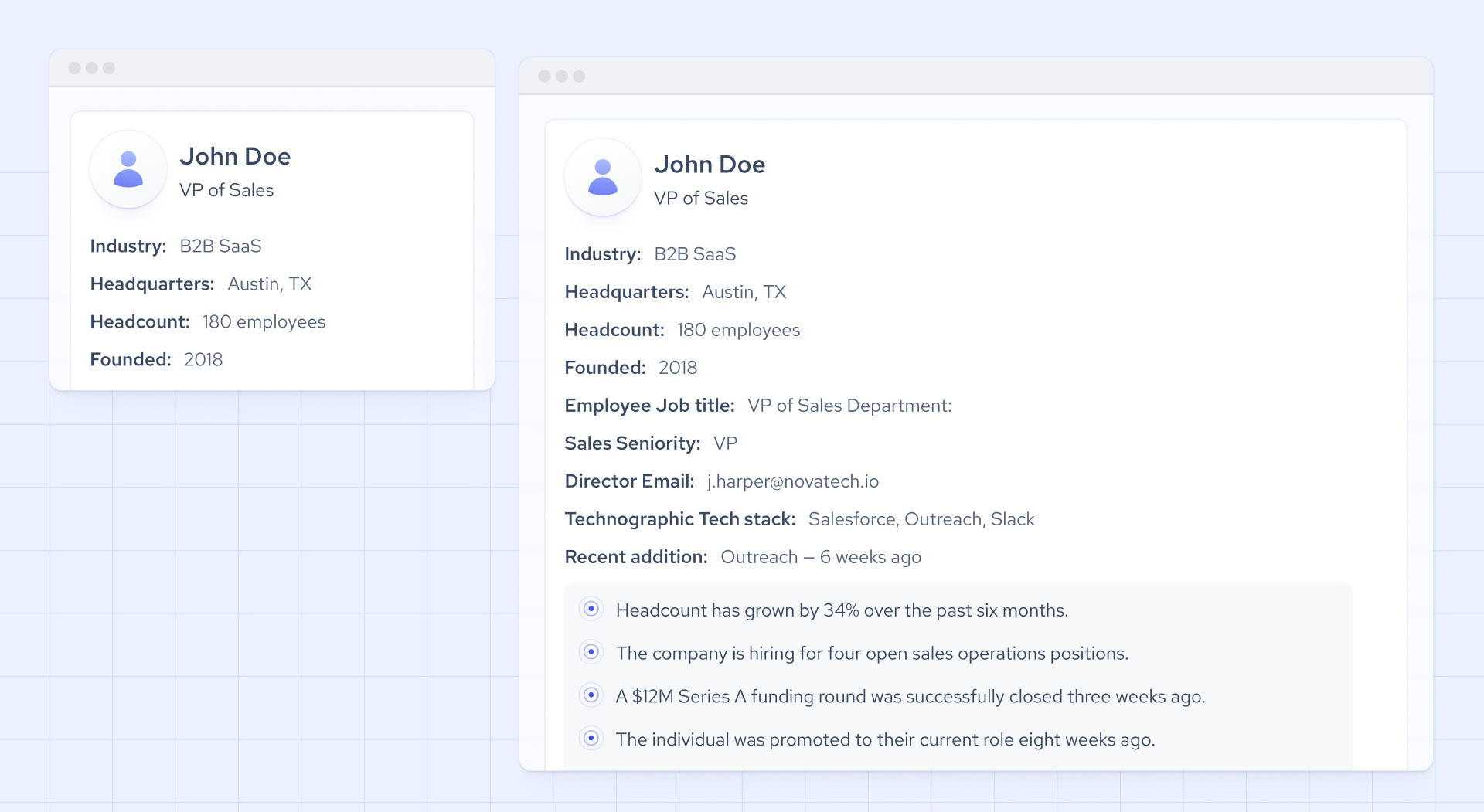
Contact data refers to basic information that identifies a person or company, including an email address, phone number, job title, or LinkedIn URL. Lead data covers the same contact information as well as company attributes, role context, hiring signals, technographic data, and organizational changes. With lead data, you not only know who someone is, but also gain insight into their current business situation and whether now is the right time to reach out.
One of the main issues I’ve noticed with contact data is that it becomes outdated fast and often lacks context. For example, a VP of Engineering at a company that just stopped hiring is not the same as one at a company that just posted 20 open roles. Contact data alone cannot show you this difference.
Lead data enrichment addresses this challenge by combining contact identifiers with company growth signals, headcount trends, job posting activity, and technology data. This transforms a static list into actionable lead data you can trust. Instead of simply reaching the right person, you connect with them when there is a clear reason to engage and enough context to make your outreach relevant.
What is typically included in a modern lead dataset?
From my experience, a high-quality, modern lead dataset brings together essential data categories such as firmographics, employee roles and seniority, intent signals, and technographics. The best datasets draw on multiple sources to ensure broad, reliable coverage. Below, I elaborate on key fields that matter most in an effective lead dataset.
From my experience, a high-quality, modern lead dataset brings together essential data categories such as firmographics, employee roles and seniority, intent signals, and technographics. The best datasets draw on multiple sources to ensure broad, reliable coverage. Below, I elaborate on key fields that matter most in an effective lead dataset.
- Firmographic data includes company-level details such as industry, headcount, revenue range, location, funding stage, and growth trajectory. This type of data forms the foundation for qualifying accounts and targeting the right businesses. Here is an example of how firmographic data looks in Coresignal’s datasets:
"company_name": "Example Company",
"company_legal_name": "Example Company, Inc.",
"company_name_alias": [
        "example-company.com",
        "Example Company"
        "Example Company, Inc. "
    ]
"is_b2b": 1,
"industry": "Software Development",
"founded_year": "2000"
- Employee data includes professional profiles such as job titles, seniority, departments, career history, and skills. With this information, you can identify decision-makers and map out the organizational structure;
- Job posting data includes both current and past listings from various platforms. It covers role types, required skills, and how often companies are hiring. Tracking hiring patterns is one of the most reliable ways to spot intent using public data;
- Technographic data shows which tools and platforms a company uses. This helps you assess product fit, spot opportunities to replace existing solutions, and prioritize accounts based on technology compatibility; and
- Product review data, including ratings and feedback, can reveal valuable insights. When a competitor's product receives negative reviews, it is a clear sign of dissatisfaction. This often indicates that a company may be considering alternative solutions.
I want to emphasize that no single data field gives you the full picture. For example, a company with rapid headcount growth is only a strong prospect if you also know which departments are expanding, what roles they are hiring for, and which technologies they are adopting. All of this depends on having clean, reliable data.
However, it is important to understand that raw datasets often include duplicate records, inconsistent job titles, missing fields, and schema differences across sources. To avoid these issues, look for datasets that are structured, deduplicated, and enriched before delivery. This ensures smooth integration with your CRM, scoring models, or AI workflows. When preprocessing is done right, you barely notice it. When it is not, it quickly becomes a major obstacle.
What are the top lead data providers today?
I believe that the lead data market does not have a single dominant player. The best lead provider depends on your specific needs. You can compare lead data providers to find the one that aligns with your goals.
Here I listed my insights about the top 4 lead data providers currently in the market:
Coresignal:
- Delivers real-time, up-to-date job posting data and workforce analytics from multiple sources;
- With Coresignal’s webhook functionality, you can easily track changes in key data fields as they happen; and
- You can access Coresignal’s data without coding and test it for free on Data Search tool on self-service.
People Data Labs:
- Focuses on people and company data; job posting data is currently available as a beta version;
- Emphasizes connecting individual profiles across multiple data sources; and
- You can use their data for sales enrichment, prospecting, and building targeted audiences.
Clearbit:
- Provides fresh, reliable public B2B data for leads, contacts, accounts, and go-to-market;
- Global coverage across every country, in any language; and
- Provides data for B2B enrichment.
Adapt:
- Provides verified global contact data, company profile data;
- Offers email intelligence to find verified email addresses of decision-makers; and
- You can get updates on job changes or new contacts with Adapt Alerts.
How does lead data help identify buying intent?
In B2B, buying intent refers to the signals that indicate a company or individual is preparing to make a purchase.
Lead data reveals buying intent by tracking public business activity. For instance, if a company starts hiring for roles in a new function, it is likely building new capabilities. A sudden increase in headcount within a department usually means investment in that area. When a funding round is followed by new sales or marketing leaders, it often signals the start of a growth phase. Consistent negative reviews of a vendor can indicate rising dissatisfaction. While no single signal confirms purchase intent, each one helps you focus on the most relevant opportunities.
Identifying intent is significantly more accurate when you combine signals from multiple sources. A single job posting rarely provides enough evidence. However, when you analyze that posting alongside a 30% headcount increase over six months, a recent funding event, and a change in the company's tech stack, the intent becomes clear. Multi-source lead database enables sales and marketing teams to move away from broad outreach and focus on targeted, signal-driven engagement. This approach means reaching fewer companies, but connecting with the right ones at the right time.
What is the difference between lead generation and lead enrichment data?
Lead generation data includes contact details and basic firmographic information, such as company name, size, and industry, and helps you find new prospects. Lead enrichment data is information added to an existing contact or company record to make it more complete and actionable. In most workflows, generation and enrichment go hand in hand. Generation creates the initial list of prospects, and lead data enrichment adds the context needed to qualify or prioritize them.
For example, a sales team might start by selecting target accounts based on industry and company size. Next, they enrich those records with job posting data to see which companies are hiring for relevant roles, add technographic data to assess product fit, and use headcount signals to gauge growth stage.
Teams that struggle with pipeline quality usually have plenty of leads, but not enough context. They often contact the right company at the wrong time or reach out to the right person with the wrong message. Enrichment addresses this by updating static contact records with current business data. This helps you target more accurately and send outreach that is relevant and timely.
How does lead data improve lead qualification?
Lead qualification is the process of identifying which prospects fit your ideal customer profile and are truly worth pursuing.
Lead data helps you assess ICP fit by providing clear, actionable attributes to filter leads before you reach out. You can match fields like industry, company size, location, growth stage, and technology stack to your ideal profile. Even if a company seems like a good fit at first glance, it might not meet your criteria if it uses the wrong tech stack, is based in the wrong region, or is shrinking instead of growing. You only see these differences when you have the right data in front of you.
Employee and company data are essential for pinpointing the right contacts within a target account. Often, teams identify the correct company but end up contacting the wrong person, typically because that individual was the easiest to find rather than the actual decision-maker. By leveraging seniority data, department structure, and role history, it is possible to identify the true stakeholders. The challenge is rarely the research itself; it is about using the available data effectively.
Structured data unlocks true scale for your business. By organizing company size, seniority, tech stack, and intent signals into clear fields, your team can filter and segment leads using objective criteria. This means you spend less time on manual sorting and more time focusing on high-quality opportunities. Leads are ranked by fit before anyone reviews them, so your pipeline is smaller but stronger. You avoid wasting time on accounts that won't convert, and your outreach connects with the right people at the right moment.
How can lead data improve sales outreach and personalization?
Lead data provides context for more relevant outreach through company attributes, role-level detail, and real-time business signals.
Employee data can be useful for tailoring and personalizing messaging. For instance, a VP who has spent the last decade in a technical role might respond differently to outreach than one who came up through sales or customer success. Before you ever reach out, I suggest adjusting your message accordingly. Or when a company opens 15 roles in a specific function, it signals where the business is investing. This is a much more actionable reason to reach out than simply matching your ICP. It also gives you a concrete point to reference in your message.
Personalization can positively affect response rates. People are more likely to engage with messages that speak directly to their current needs or challenges. With enriched data, you can start conversations with a specific topic, such as a recent hiring trend, a company expansion, or a technology change. This approach is far more effective than sending a generic value proposition that could apply to anyone.
Structured data is essential for scaling personalization. Manual research may work for a few leads, but it quickly becomes unsustainable as volume grows. Clean, consistently formatted lead data, organized by relevant fields, allows sales teams to apply contextual logic across large segments. For example, you can adjust messaging by seniority, hiring signals, or tech stack, all without needing a researcher for every outreach.
How do I integrate lead data into my CRM system?
There are several ways to integrate lead data into your CRM system, including APIs, flat files, and data pipelines. Below, I discuss these options in more detail:
- APIs. With API enrichment, your CRM or marketing platform connects directly to a data lead vendor. When a new lead comes in, the API sends an identifier, such as a company domain or email address, to the lead provider. The enriched data is returned and added to the right CRM record automatically. This approach is best if you need leads to be complete and ready for action as soon as they enter your system.
- Flat files. With flat file integration, you export your lead records as a CSV, send them to a B2B lead provider for enrichment, and then reimport the updated file into your CRM. This method doesn’t require any technical setup, but it’s manual and can slow things down. It works well for one-time backfills or enriching lists before a campaign.
- Data pipelines. A data pipeline automates the movement of lead data between your CRM, enrichment provider, and other tools in your stack. Records are enriched, standardized, and synced continuously, so there’s no need for manual work. This is the most scalable choice for teams handling high volumes of enrichment across several platforms.
No matter which method you choose, three factors will determine how well your integration works. First, make sure records are matched to external sources using a reliable identifier, such as a company domain, email address, or name. Second, map and standardize fields before the data enters your CRM. Third, handle deduplication before writing enriched records back. If you skip this step, you risk having the same contact show up more than once with slightly different details.
How can I access and use lead data through an API?
Accessing and using lead data through an API is straightforward if you follow these steps:
- Authenticate. Start by registering with a B2B lead provider, such as Coresignal. Once you have your API key, include it in the header of every request. This step confirms your identity and ensures your usage is tracked according to your plan.
- Send a request. Use the API endpoint and specify the parameters that matter most to your search. Common filters include company name, domain, job title, seniority, location, industry, and keywords. Some APIs also let you filter by technology stack or identify companies that are actively looking to buy, giving you more targeted results.
- Use the data. Once you receive the enriched lead data, you can update CRM records, trigger personalized outreach, adjust lead scores, or route leads to the right team members. How you use the data depends on your workflow and business goals.
- Handle pagination and rate limits. Large queries are often split across multiple pages, so make sure your integration retrieves all results by iterating through each page. Be mindful of rate limits, which restrict how many requests you can send in a set time. If you need to process large volumes of data, check if your lead provider offers bulk endpoints or dataset downloads to streamline your workflow.
How important is data freshness in lead generation and enrichment?
Data freshness is critical in lead generation because relying on outdated information results in missed opportunities, wasted outreach, and poor timing. Outdated data poses risks of missed signals, wrong timing, or poor targeting.
For example, a prospect that matched your ICP last quarter may have changed roles, frozen hiring, or already signed with a competitor. A hiring signal that indicated strong intent two months ago may no longer reflect the company's current priorities.
However, not all use cases require the same update frequency.
- Real-time updates deliver data as soon as an event happens, such as a profile change, a new job posting, or a shift in headcount. This level of immediacy is critical for live AI agents and compliance workflows, where even a short delay can disrupt the user experience.
- Daily or weekly updates refresh records on a regular schedule. This approach works well for most CRM enrichment and outbound sequencing, where outreach happens over days, not seconds.
- Batch updates provide large volumes of data at set intervals, such as weekly, monthly, or on demand. This method is best for longer-term research and market analysis, where understanding overall trends is more important than tracking every change as it happens.
Fresh data ensures your team receives signals about new roles, funding rounds, or executive changes while they are still actionable. That way, you can act before the opportunity is gone.
How much does lead data cost for generation and enrichment?
Lead data pricing varies significantly depending on your lead provider, delivery method, and intended use. Here are the main options you’ll find from most providers:
- API access. You usually pay per record through a credit-based system, with monthly or annual subscriptions available.
- Datasets. You can pay per record or make a one-time bulk purchase for a complete dataset.
- Managed services. The provider takes care of sourcing, aggregating, enriching, and keeping your data up to date, so you don’t have to manage the process yourself.
Most reputable providers offer a free trial before you buy. This way, you can assess the dataset's quality and coverage to ensure it meets your needs.
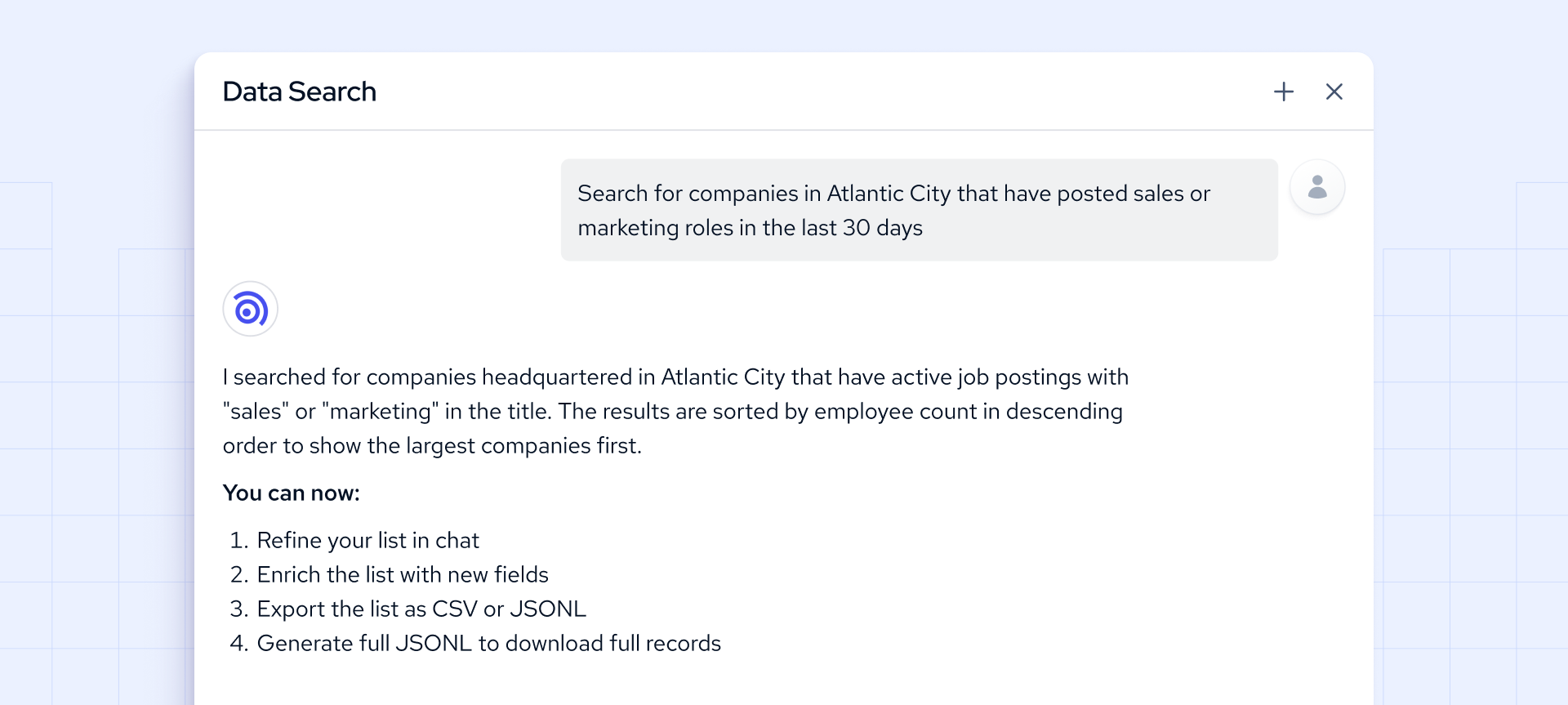
At Coresignal, we invite you to try out Coresignal's Data Search to build and enrich lists using simple English prompts, no coding required. This tool lets you preview the data before making a decision.
When evaluating the price, it is important to understand that lead generation and enrichment use different pricing models. With lead generation, you buy a dataset filtered by criteria such as industry, location, or seniority. You usually pay per record or for a whole dataset, then load the results into your CRM and work through them. Enrichment works differently. Instead of buying new records, you pay to update your existing ones. Pricing is usually based on consumption, such as the number of API calls triggered by events like form fills, job changes, or new job postings. Your costs depend on how active your pipeline is, not on the number of records you purchase upfront.
Also, the cost of a B2B lead database or API highly depends on three main factors:
- Freshness. Keeping the lead database accurate and up to date takes constant investment in both technology and skilled teams. As a result, real-time or frequently refreshed datasets are more expensive than static or quarterly updates.
- Volume. The more records and areas you want to cover, the more resources are needed behind the scenes. Larger datasets require bigger teams and more infrastructure, which increases the overall cost.
- Coverage. Expanding into new regions or industries means collecting more diverse data, which drives up costs. Niche or hard-to-reach markets often come with a higher price per record compared to widely available data.
- Depth. Adding more data fields or attributes requires deeper expertise and more advanced systems. The richer the dataset, the more investment is needed to maintain quality and accuracy.
- Multi-source data. When you combine records from several sources, you need to handle deduplication, entity resolution, and schema standardization. This engineering work adds to the cost, but it also means you get data that is ready to use without heavy internal processing.
At Coresignal, we offer different pricing plans for database APIs:

How is the lead data market evolving in 2026
By 2026, the lead data market is shifting from static to dynamic. Not long ago, the main challenge was finding more contacts. Now, the focus is on getting the right context and acting on it faster than your competitors.
Intent-based targeting is becoming the primary prospecting tool. Signals like hiring activity, leadership changes, funding events, and technology adoption are now triggers for action, not just background details. Rather than working through static lists, teams are building workflows that surface accounts as soon as a relevant signal appears.
Real-time data and automation are now standard. Leading teams depend on instant alerts, dynamic CRM updates, and automated enrichment for inbound leads. What matters the most is whether your team receives the signal while it is still actionable.
Moreover, AI is reshaping how leads are generated, scored, and prioritized. In my experience, the teams getting the most out of AI are not those with the most data, but those whose data is structured, complete, and consistently updated enough for models to learn from reliably. All of this depends on tighter integration between sales, marketing, and data teams.


