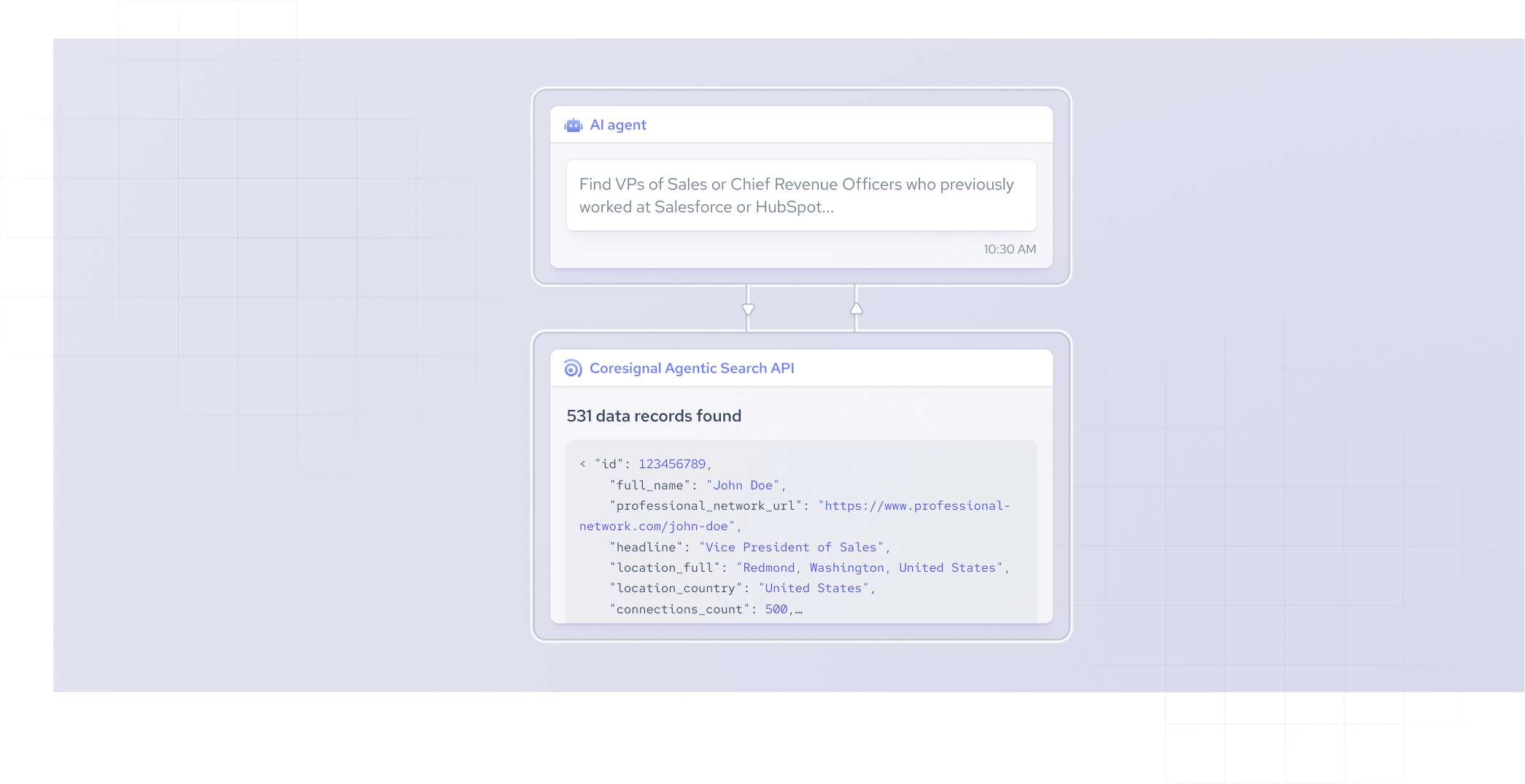


Last month, we launched our /fast endpoint as part of Coresignal's Agentic Search API offering. It gave developers a natural-language interface for accessing our multi-source data. With it, you can send a simple prompt and get structured results in seconds.
But plenty of workflows need a higher degree of precision and a better understanding of context.
That's what our new precision endpoint /reasoning is built for.
The /reasoning endpoint empowers complex, high-accuracy B2B data searches. It automatically infers entities, uses a full data schema, and translates nuanced natural-language prompts into search queries.
What /reasoning endpoint does differently
Both /fast and /reasoning endpoints accept a natural-language prompt and return either structured B2B data or a generated ElasticsSearch DSL query. The architecture beneath them, however, is different in several important ways.
/fast endpoint is optimized for speed:
- The end-user specifies the entity and then sends a simple natural-language prompt.
- The endpoint uses a simplified schema.
- The prompt is translated into a query quickly.
It's perfect for high-volume, programmatic use cases, powering AI agents, search features in customer products, or automated pipelines.
/reasoning endpoint is optimized for accuracy on complex queries:
- The end-user writes a complex prompt.
- The entity (company, employee, or job) is inferred automatically from the prompt.
- The tool uses a full data schema available and operates in a more complex multi-agent setup, producing more nuanced query translations.
- The API includes an optional clarification parameter. When enabled, the API can ask follow-up questions before executing the search.
- If clarification_needed field is true, a new data field named reason will be included in the results with the initial question and a short explanation of the results. If the field was not used, it will show how the query was generated:
Once these steps are complete the complex prompt is translated into a query.
It's best for exploratory queries, complex multi-criteria searches, and use cases where precision matters more than speed.
| /fast | /reasoning | |
|---|---|---|
| Optimized for | Speed | Accuracy and complexity |
| Data access | Multi-source Employee API | Multi-source Company, Employee, and Jobs APIs |
| Data fields | Limited | All multi-source data fields |
| Schema | Simplified | Full |
| Entity selection | Required upfront | Inferred from the prompt |
| Speed | Up to a few seconds | Under a minute |
| Focus | Short, clear requests | Complex requests with multiple conditions |
| Request clarification | Not available | Available |
| Cost | 2 credits per request | 10 credits per request |
| Created for | High-volume pipelines, AI agents, and product search features | Exploratory queries, complex multi-criteria searches, and precision use cases |
What results can you expect?
Let’s say you need to access employee data. Your requests will differ slightly, depending on your needs.
- For the /
fastendpoint, you might ask to ”Find all engineers at Salesforce". - For the /
reasoningendpoint, you could request “Give me all founders in the UK that operate in the software engineering industry with more than 200 employees.”
Both of your requests will return up to 100 lightweight employee profiles for preview. They will include employee ID, full name, professional network URL, location details, company name, as well as other relevant information. If you add this newly generated query to the API request body, you will receive the full employee profiles with 300+ data fields.
Here is a sample response you would get:
Why this matters for developers and AI product teams
When I talk with entrepreneurs and engineers building AI products, they often mention that one of the largest friction points in building a smooth workflow is the data integration layer.
Teams building their products with B2B data APIs currently need to understand the underlying schema and develop their own query logic to retrieve meaningful data.
That process takes weeks, not hours.
The Agentic Search API was designed to remove that burden. A plain-English prompt replaces what would otherwise be hundreds of lines of query code. The /reasoning endpoint extends this to multi-variable prompts and complex requests.
.png)
The main benefits of the /reasoning endpoint
The /reasoning endpoint is designed for teams and platforms where natural language is the interface, and precision is the requirement. What are the key benefits that you can unlock with this feature?
- Power agentic AI workflows. LLM-powered applications need to retrieve data for prospecting, enrichment, and candidate sourcing. The Agentic Search API is built for this: a prompt goes in, structured data comes out, no human in the loop required.
- Eliminate the engineering burden of query construction. You don't need to understand our data schema to build precise query logic. The natural-language API removes the data integration layer entirely.
- Enable non-technical users to access our data directly in your product. End-users, such as recruiters or sales reps, need data but can't write structured queries. This API lets these platforms run a prompt-based search interface without having to develop the tool in-house.
- Reduce time-to-value. Compress learning the query language, mapping schemas, and handling edge cases into a single API call. Get data and an opportunity to inspect and validate the generated query so you can fine-tune it before execution.
- Give AI agents unmatched B2B context. With access to millions of multi-source records that are sourced directly, agents can make decisions grounded in accurate, up-to-date professional data rather than filling gaps with assumptions.
What data is available
Both endpoints query Coresignal's multi-source data, which is ethically collected from publicly available sources. The company dataset contains 70 million profiles with 500+ data fields, the employee dataset offers 907 million profiles with 300+ fields, and the jobs dataset has 475 million listings with 80+ fields.
Coresignal's data is integrated from multiple sources, cleaned, and deduplicated. It includes a complete snapshot of company history, employee career, and the job market.
More than 1000 companies have used the data across recruiting technology, sales intelligence, investment research, and market analysis since 2016. The data is collected while staying in line with privacy requirements and the company is certified by the Ethical Web Data Collection Initiative.
Be among the first to try our new /reasoning endpoint
Coresignal is giving early access to /reasoning endpoint to a select group of teams. If your stack includes live AI agents, automated recruiting workflows, or any pipeline where query-building overhead is slowing you down, this is worth a look.
Reach out to our sales team to get access. If you want to explore the endpoint first, check out our documentation.