

Data supports sales intelligence, recruiting, analytics, and AI model training, with structured, fresh, and multi-source data making a real difference.
According to the 2025 IBM Institute for Business Value study, which included over 1,700 Chief Data Officers, only 26% believe their data can truly drive new AI-based revenue streams.
Go with the wrong model, and you’ll likely face higher operational costs and slower workflows. But if you pick the right model, you might benefit from smooth workflow integration, better hiring intelligence, and improved business results.
That is why teams buying data should evaluate both the source and the delivery model before committing to a dataset, B2B API, or hybrid setup.
So, when should you choose datasets and when APIs are a better option for practical business use cases?
Datasets: When structured data is the smarter business choice
A business dataset is useful when teams need in-depth information they can store, query, and compare over time. It’s usually delivered in bulk as JSON, CSV, Parquet, or JSONL for business intelligence, research, and AI training.
It’s static, so it doesn’t support real-time updates like the APIs. Data providers like Coresignal compile records so you can apply them to your use case. Common dataset users include:
- AI search tool developers. High-quality B2B data can be used to train AI models and retrieve business information from Coresignal's database.
- Analytics and business intelligence teams: Business data, formatted as datasets, is used by teams that process millions of records.
- Market research professionals: Datasets also provide stable snapshots of different market segments and industries.
- Investment analysts: Dataset insights help investment analysts track company growth and headcount trends.

Coresignal’s multi-source datasets for companies, employees, and jobs
When buying data, provider quality matters. Coresignal offers multi-source, deduplicated, and structured datasets across three main categories:
- Company datasets: Cover firmographic data, including industry classification, corporate locations, revenue estimates, and employee headcount trends.
- Employee datasets: Include professional profiles compiled for sales intelligence and workforce analysis teams.
- Job posting datasets: Contain aggregated job listings with historical data and enriched recruiter information.
Structured datasets are far more reliable than fragmented sources, and Coresignal relies on a multi-source architecture that merges duplicate records and normalizes fields to consistent schemas.
Where datasets work best: Analytics, research, and historical intelligence
Business datasets work best for analytics and historical research. A dataset can span millions of records, making it useful for market mapping and industry analysis.
HR teams also use datasets to pinpoint in-demand skills and positions, as well as to conduct compensation benchmarking. Company and employee datasets, in particular, are used by venture capital analysts and private equity firms to track signals.
Why daily deliveries matter for jobs data and hiring signals
Job posting data becomes stale quickly, often within a week or two. Your customers don't want to apply to jobs that were already filled in. That’s why getting daily jobs data is essential for accurately tracking hiring signals and patterns.
Daily updates improve hiring signal accuracy, and Coresignal supports regular batched job data updates. More than 500,000 new listings are added every day, and sales teams get to benefit from this when analyzing hiring activity and intent.

Data APIs: Turning real-time data into actionable workflows
An API is a digital interface that allows businesses to pull specific records from a provider’s database. Unlike datasets, a B2B data API supports real-time retrieval without repeated file downloads. A professional data API applies this access model to structured career-related data, allowing applications to search, retrieve, and enrich selected records on demand.
APIs also support CRM enrichment, lead qualification, applicant sourcing, and product integration. AI models that actively use business data also benefit from API access, as they respond to specific inputs rather than pre-loaded datasets.
Coresignal APIs for companies, employees, and jobs data
Coresignal allows companies to access real-time B2B data in a workflow-ready format through dedicated APIs. The main options include:
- Company Data API: Provides firmographic records by industry, size, headcount, location, and 500+ other data fields. Coresignal’s Multi-Source Company API also features enriched profiles assembled from millions of public accounts.
- Employee Data API provides real-time access to millions of professional profiles with 300+ data fields, including role descriptions, work history, seniority levels, in-demand skills, and salary estimates. This API also supports webhooks for tracking field-level changes.
- Jobs API: Businesses can access historical job posting records on demand. Data is delivered in formats such as JSONL and Parquet, with flexible filtering options.
Where APIs win: Automation, enrichment, and AI workflows
A B2B data API beats datasets in workflows that require automation and real-time data access. The following use cases stand out the most:
- AI sourcing agents and recruiting platforms: Sourcing agents using LLM-powered candidate matchmaking use structured data from the API as a base.
- CRM enrichment and lead qualification: Sales teams can use Company or Employee APIs to enrich and categorize leads in real time. APIs eliminate the need for manual research.
- Talent sourcing and candidate discovery: HR and recruitment teams might use the Employee API to source candidates based on specific criteria, such as role, location, in-demand skills, seniority level, and more. The API generates structured, normalized profiles ready for automated workflows and applicant tracking systems.
Natural language search: Why modern APIs should work like AI agents
Traditional API integrations required technical knowledge and developers to write complex Domain-Specific Language (DSL) for fetching records. This also created a barrier for AI applications, where natural-language prompts had to be translated into query syntax.
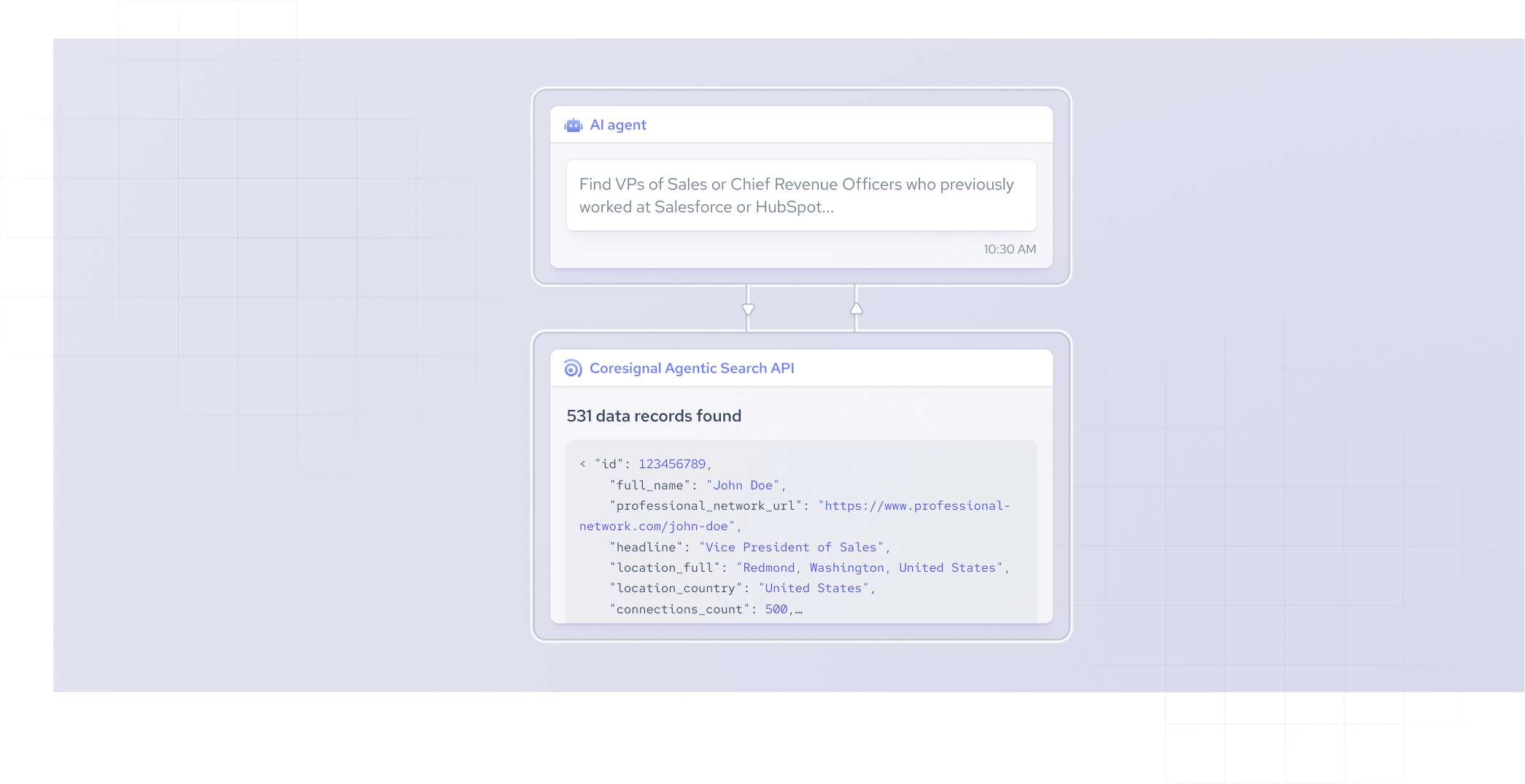
That’s where Coresignal’s Agentic Search API enters the picture. It’s a natural-language search interface that lets teams and agencies pull professional data without structured queries from Coresignal's database. Use this API in your app so your end-users can access Coresignal's data straight from your product.
It removes the need for DSL or coding knowledge. This also makes it easier for AI agents that rely on dynamic data fetching to retrieve information using a simplified query syntax.
Datasets vs APIs: Key differences explained
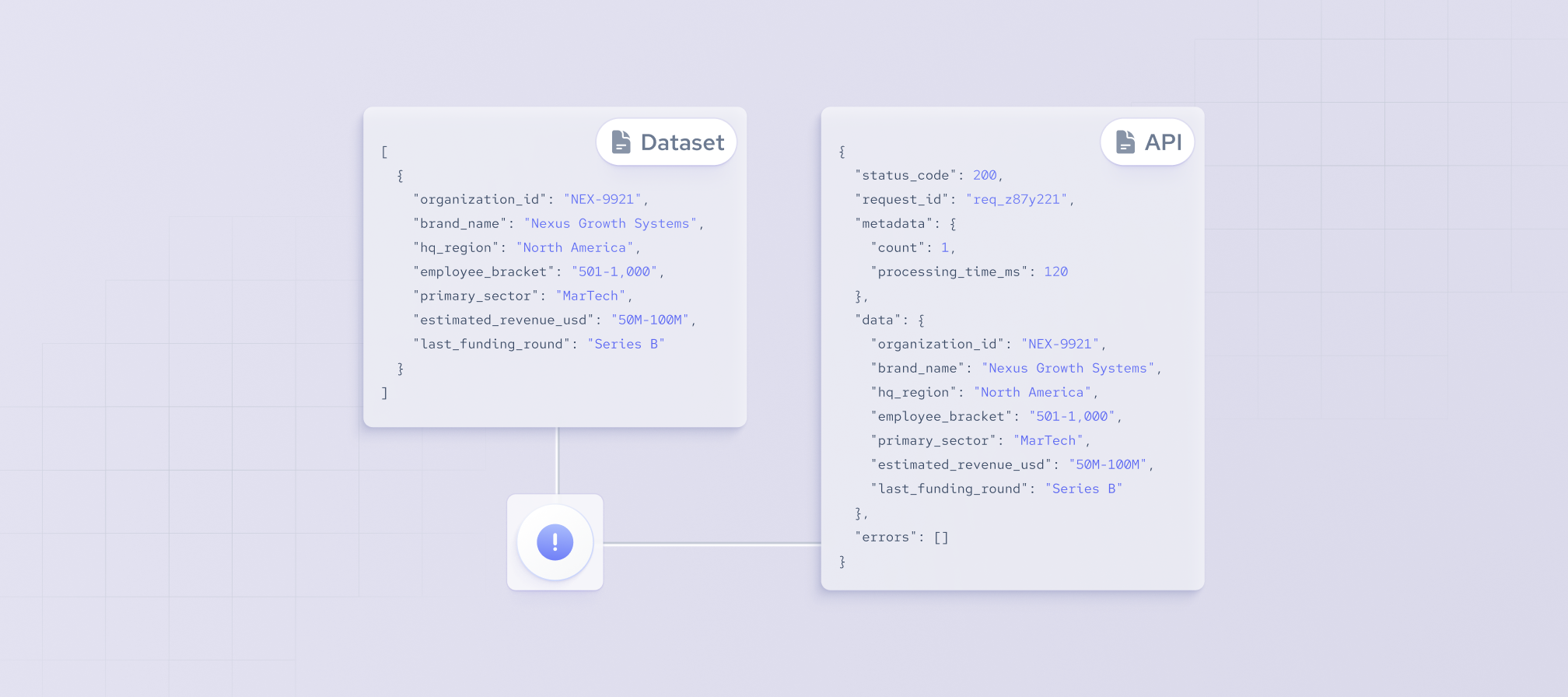
The dataset vs API debate affects cost, integration, and workflow efficiency. While APIs are more flexible for dynamic use cases, datasets offer full flexibility for data use in a corporate environment.
Datasets allow for extremely quick bulk analysis, while APIs are faster for retrieving specific records based on your inputs. I’d also point out the maintenance difference in terms of integration.
Sure, APIs might require you to fine-tune the integration for real-time workflows, but datasets also require some upfront optimization to load the business data into corporate systems.
With a B2B data API, you can just pay to pull a specific record, so you’d simply be paying for the records you need. On the flip side, datasets come with upfront, volume-based costs.
How multi-source data improves B2B data quality and coverage
Single-source data providers often deliver incomplete or inaccurate business data due to stale or duplicated records. Vendors like Coresignal, with multi-source data collection, minimize the risk of error by pulling and comparing records across multiple sources.
Multi-source data is usually deduplicated for higher accuracy. For instance, if a job post appears on several different platforms, all the listings are collapsed into a single data point. More accurate insights lead to better trend analysis and signal tracking for hiring. Coresignal’s company records contain 500+ data fields thanks to multi-source profiles.
Why real-time data and freshness matter for modern workflows
The distinction between real-time data vs fresh data can be confusing, so let me clear the air.
While some providers use the term loosely, real-time data refers to constant updates. Fresh data, on the other hand, simply refers to up-to-date information. It doesn’t have to be updated by the hour, as long as the information is still factual at the moment of retrieval. Features like Coresignal’s Employee Webhooks enable field-level change tracking, helping identify actionable signals once the changes are happening.
Not every project will require real-time updates. You might want to have real-time employee updates to keep an eye on a selected list of top candidates, but don’t necessarily need to get company description profile updates in real time.
Also, updates using real-time APIs can get quite expensive, so it’s always wise to understand your use case before deciding on update frequency. Sometimes, standard fresh data is enough.
Structured data for AI agents, LLMs, and modern data pipelines
AI agents and LLM workflows depend on structured, reliable data rather than raw search results. That’s why the Coresignal n8n integration helps optimize data workflows. Teams can drag and drop nodes, connect API credentials, and optimize data pipelines.
It adds to low-code automation, which is crucial for non-tech users. Natural language access allows users to interact with complex databases without any coding knowledge, and structured data supports those requirements.
Common mistakes businesses make
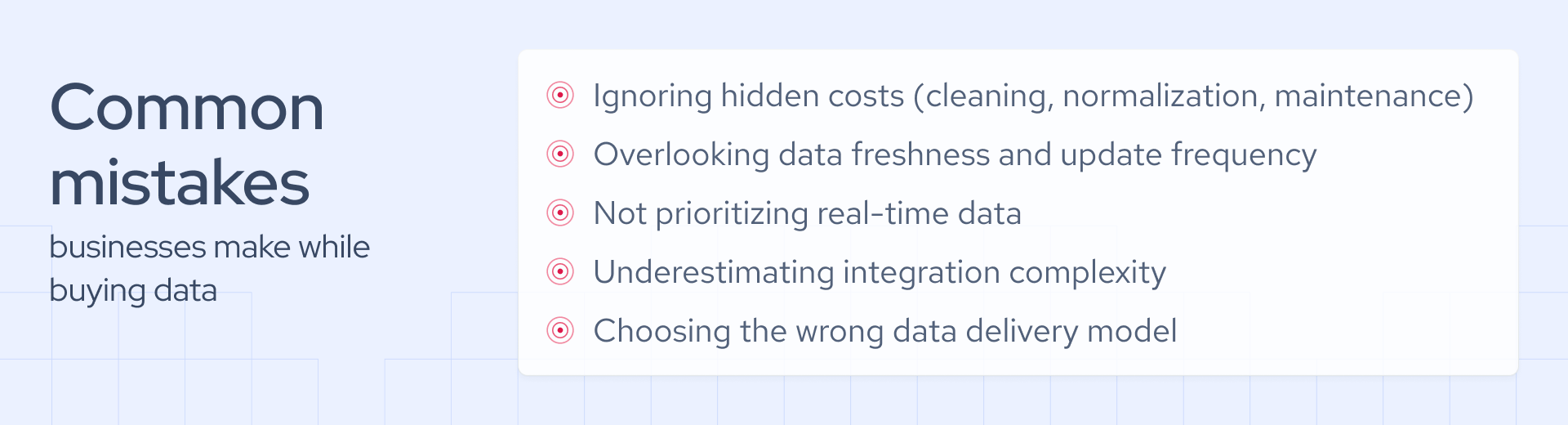
Before you begin buying data with the help of this guide, you should take a moment to consider some common mistakes to avoid. It all starts with the cost, as many users take the upfront cost of getting a dataset or API subscription at face value.
In reality, data cleaning, normalization, and integration maintenance all add to the total cost. Don’t ignore freshness and update frequency, as they can play a key role in your workflow’s automation rate and efficiency.
Focus on fresh data with real-time updates whenever possible. Also, make sure to consider integration complexity and compatibility with your business systems, and choose the right data delivery model for AI applications.
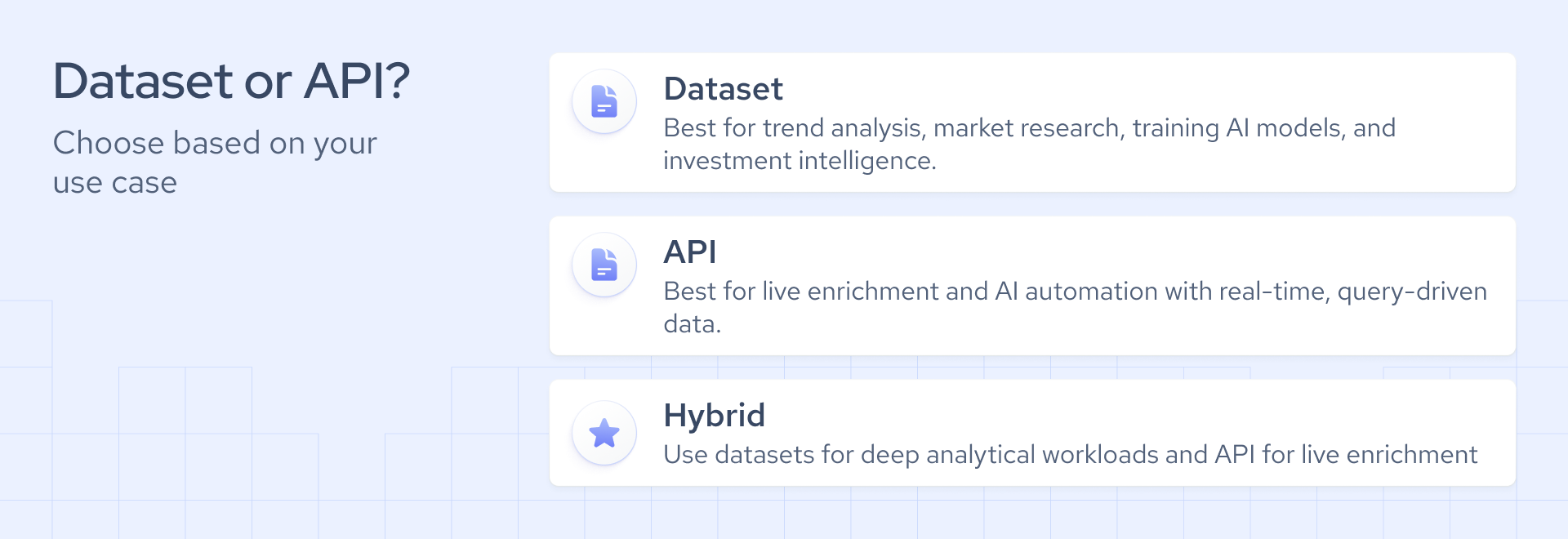
Dataset or API? A simple decision framework
Deciding between a B2B data API and a dataset ultimately comes down to your potential use case:
- If you need historical analysis, choose a dataset: It provides a full depth of historical records for trend analysis, market research, and investment intelligence.
- If you need live enrichment, choose an API: APIs integrate directly into CRM and lead qualification systems, enabling workflows that return data in response to specific business queries.
- If you’re building AI agents or automation workflows, choose an API: APIs are the right integration model for LLM-powered workflows and AI agents due to real-time retrieval, webhook triggers, and natural language query interfaces. The right data provider for AI should also support structured records, freshness, and flexible delivery models.
- If you need both historical depth and live signals, use a hybrid model: An API for selective retrieval, combined with datasets for analytical workloads.
Final thoughts
Ultimately, there’s no clear winner between datasets and APIs. It all depends on your workflow type and business goals, and modern teams increasingly rely on hybrid models that combine the real-time updates and retrieval convenience of APIs with the historical depth of B2B datasets.
Structured, fresh, and multi-source data brings the most long-term value for different teams, and providers like Coresignal consistently perform in both delivery formats.