

.jpg)
Imagine opening a lead list that just shows company names, contacts, and an industry label. You contact the first company, only to learn it's a tiny five-person startup that isn't ready for your product, or the listed contact is a coordinator who can't make buying decisions. Those three fields confirmed the company exists, but they didn't reveal its size, funding, or who actually makes decisions there.
This is what happens when you use a lead list that hasn't been enriched. Sales reps end up calling companies that aren't a good fit and pitching to the wrong people, simply because important details like headcount, funding stage, and seniority were missing from the start.
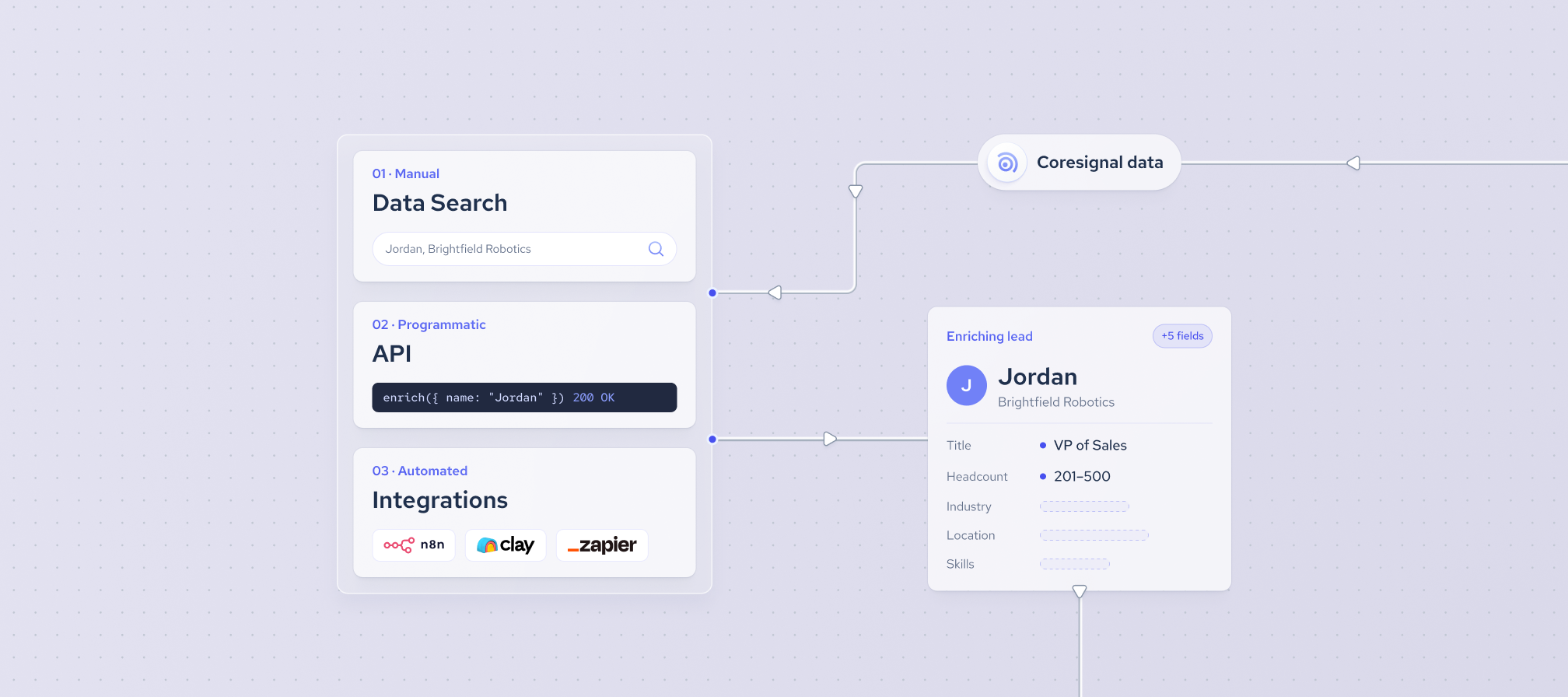
In this tutorial, you'll learn why enriching B2B leads improves lead quality, and three main ways to enrich leads with Coresignal using Data Search, API, and automations.
What is lead enrichment in B2B?
Lead enrichment is the process of adding missing or updated company and contact information to a lead record after it's already in your system. A lead that starts as a name and an email address gets filled in with details like company size, industry, job title, and technology stack, so it reads less like a form submission and more like a qualified account.
B2B lead enrichment can happen once, right after a lead is created, or run repeatedly as the underlying company or contact information changes. In short, lead enrichment turns a thin record into one your sales and marketing teams can act on.
Why do B2B leads need enrichment?
Most B2B lead generation starts with identifying the right companies, then finding the right people within them. Yet, the data that ends up in your CRM is often incomplete. A form fill might only capture a name and work email. An event scan might only provide a name and company. These details rarely show if the company fits your target market, who else should be involved, or if the contact still holds that role.
B2B lead enrichment fills these gaps by adding essential company and professional data, such as revenue range, headcount, industry, and seniority. This allows you to qualify, score, and route leads efficiently, without forcing your team to research each record manually. Without enrichment, marketing and sales teams are left working with partial information and making assumptions about the rest.
Why automate lead enrichment?
Looking up one lead by hand is manageable. Looking up hundreds a week, across a CRM with tens of thousands of existing records, is not.
According to Validity's 2025 State of CRM Data Management report, 76% of CRM users say less than half of their organization's data is accurate and complete, and 37% say poor data quality has cost them revenue directly. Automating lead enrichment, rather than repeating it by hand every time a lead comes in, is what keeps records complete and helps in improving lead quality as volume grows instead of falling further behind.
How can you enrich and automate B2B leads with Coresignal?
There's more than one way to enrich B2B leads, depending on how your lead list already looks and how much of the process you want to automate. Below are three Coresignal’s approaches, from a self-service search tool to a fully automated workflow.
Approach 1: Build a lead list and enrich it with AI Data Search
AI Data Search is Coresignal's self-service search tool that translates a natural language prompt into a structured query. It's for people who need relevant B2B data without writing a query language themselves. For B2B lead enrichment specifically, that means going from "who do I want to sell to" straight to an enriched, exportable list.
The fields you get back aren't tied to one fixed template. AI Data Search returns the fields that match what you actually asked for, so a prompt about funding and headcount growth returns exactly those fields filled in, rather than a generic set of columns that's the same for every search.
The flow is simple. Let's say you're targeting specific companies:
1. Generate a query: describe the companies you're targeting in your own words. A typical query can be fairly specific, for example, "Identify companies with at least 500 employees that have grown more than 30% year over year in headcount and haven't raised any funding."
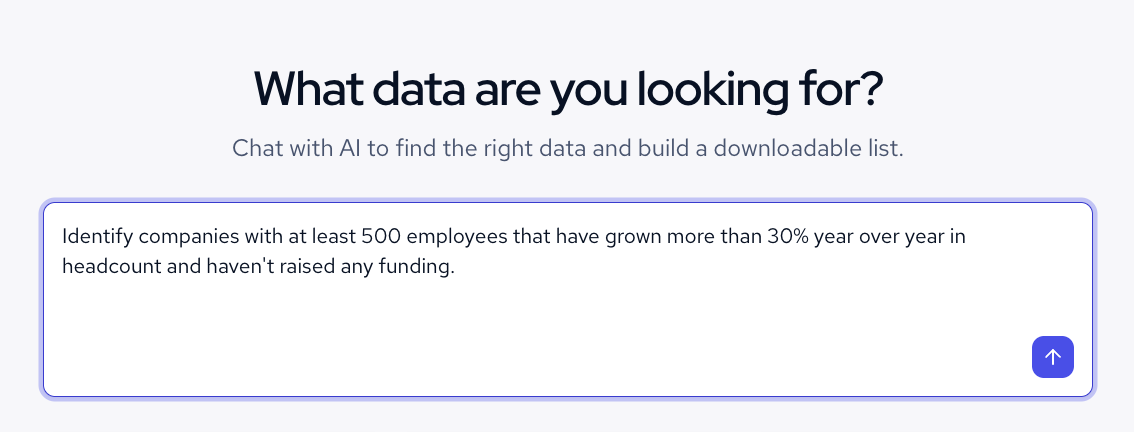
2. Preview the results: explore up to 20 records, with the dynamic fields checked against your criteria to confirm the results are on target.
3. Enrich the records: once your query returns a preview, click "Enrich" to pull the full list, up to 10,000 records. Use column visibility to keep only the fields you need, without paying extra to adjust what's shown.
.png)
- Download the finished list: choose CSV or JSONL formats, ready to drop into a spreadsheet or CRM.
We built our self-service AI Data Search to remove the manual work of writing structured queries. This option lets your team build and enrich a lead list the same afternoon, and it's a natural first stop before the API-driven approach below.
Approach 2: Enrich a lead list through an API
This approach is designed for teams that already have a lead list – whether sourced from form fills, events, purchased lists, or CRM exports – but lack essential company context. Key details such as company size, industry, and growth trajectory are critical for prioritizing leads and driving effective engagement.
We offer enrichment endpoints across our data APIs for exactly this. Instead of searching for companies that match a set of criteria, you send in something you already have and get back the matching record.
Here's how to enrich leads using the Multi-Source Company API as an example.
- Start with what the lead already has. Most raw leads carry at least a company domain or social media profile URL, whether that came from a form fill, an event scan or a CRM export. That URL is the only input the enrichment endpoint needs.
- Call the enrichment endpoint. Paste the URL to our Multi-Source Company enrichment endpoint, one lead at a time or as a scheduled batch:
curl -X 'GET' \
'https://api.coresignal.com/cdapi/v2/company_multi_source/enrich?website={URL}' \
  -H 'accept: application/json' \
  -H 'apikey: {API Key}'
The endpoint matches the URL against the companies in our dataset and returns the matching company record: headcount, industry, funding history, technology stack and more.
Choose which fields come back. Add a fields parameter to keep only what your lead scoring or CRM fields need.
- Choose which fields come back. Add a
fieldsparameter to keep only what your lead scoring or CRM fields need.
curl -X 'GET' \
'https://api.coresignal.com/cdapi/v2/{entity}/enrich?website={URL}&fields={field_name}&fields={field_name}' \
  -H 'accept: application/json' \
  -H 'apikey: {API Key}'
The result: instead of "someone filled out a form," the record now reads "someone at a fast-growing 200-person fintech company filled out a form."
Automate the lead enrichment
You can set up a lead enrichment process as a continuous workflow that runs automatically when a new lead arrives, on a set schedule, or in response to events in your stack. To make this easier, Coresignal integrates with leading automation tools such as n8n, Zapier, and Clay. For a complete overview, visit our integrations page.
Let’s see how to build a workflow with Coresignal’s n8n integration.
Building an automation with n8n
When lead enrichment relies on custom scripts, any failure can halt enrichment, leave CRM records outdated, and delay qualification of new leads. The n8n node addresses these challenges with a reliable drag-and-drop interface. You can search, enrich, and sync lead records directly within your workflow, eliminating the need for ongoing custom development.
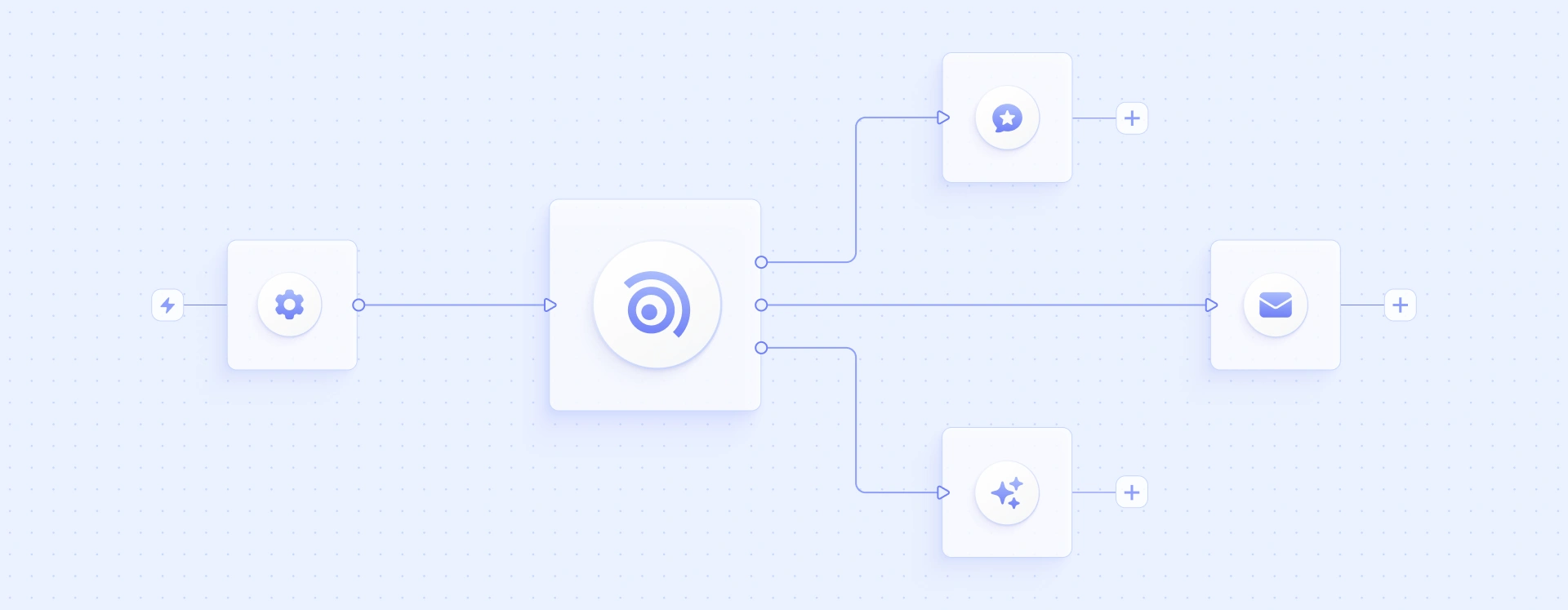
It’s easy to get started:
- API key – add your Coresignal API key as a credential in n8n.
- New workflow – create a new workflow that fits your needs. You can begin with one of our made templates for common use cases, such as enriching CRM records with company data, identifying hiring signals, or highlighting decision-makers. Adapt these templates to fit your specific lead list and workflow requirements.
The same node integrates Agentic Search API endpoints. This allows you to describe your requirements in plain language, and the system generates the underlying query for you. This feature is especially valuable when automating list-building alongside enrichment.
Once configured, enrichment becomes an automated part of your workflow. Lead records are enriched seamlessly as they progress, without manual intervention.
What should you consider when automating B2B lead enrichment?
Before integrating B2B lead enrichment into your workflow, decide how to improve lead quality by making a few choices upfront. These choices will help ensure your lead enrichment process is efficient and the data you receive is relevant.
- Needed fields. Start by identifying which company or contact fields are missing from your current records. Focus on the fields that will have the greatest impact on your sales representatives or lead models.
- Field selection: Select only the fields you need the API to return. This approach prevents you from collecting unnecessary data and ensures you are only working with the information that matters most to your use case.
- Destination. Determine where your enriched data will go. Whether it is a CRM, a database, a spreadsheet, or another system, knowing where the data will be used helps organize your workflow and supports smooth integration.
- Enrichment cadence. Decide how often enrichment should occur. You may choose to enrich individual records as needed, schedule batch updates at regular intervals, or automate enrichment to trigger whenever a new lead enters your workflow.
- Field mapping. Establish how the returned fields will map onto your existing lead records. Proper field mapping ensures that enriched data aligns with your current CRM structure and supports your sales team’s established processes.
Final thoughts
Enriching a B2B lead list by hand doesn't hold up once lead volume grows, and manual lookups leave CRM records incomplete right when reps need them most. This guide covers three ways to automate lead enrichment with Coresignal: building and enriching a lead list through Data Search, enriching an existing list programmatically through the API, or wiring enrichment into a no-code workflow with n8n, along with what to decide before setting any of them up.