


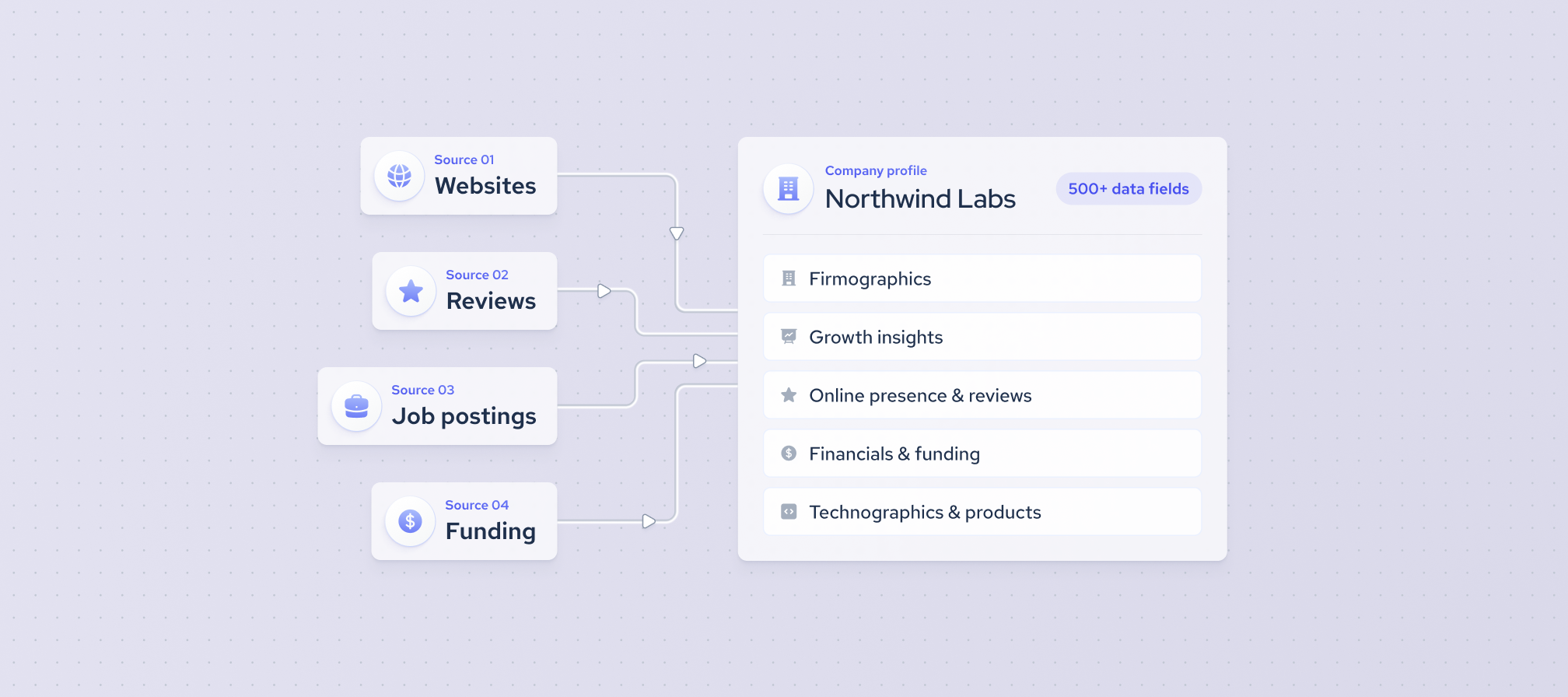
Company information is rarely stored in one place. A business may share its headcount on a professional network, its funding details on a financial database, and its customer reviews on another site entirely. Collecting these details by hand takes time, and the numbers often don’t match from one source to the next.
A multi-source company data API addresses this by combining public data from several sources into a single data record for each company. Instead of matching, cleaning, and merging records yourself, you send one request and get a unified view of the company.
In this article, we explain how a multi-source company data API works, what kind of information it includes, and how our Multi-Source Company Data API prepares data before it reaches you.
What is the multi-source company data API?
Our Multi-Source Company Data API connects you to our multi-source company dataset. You can search, filter, and collect company records on demand, and the same data is available to AI agents through natural language queries and MCP-compatible tools.
Companies use this data to power sales tech and market research products, enrich lead lists, track company performance, and find companies ready for investment. It’s also increasingly used to train AI and machine learning models and to give AI agents fresh B2B context.
What are the benefits of the Multi-Source Company API?
The main benefits come down to two things: how much detail each data record holds and how many sources feed into it. Together, they give you a fuller picture of a company than a single source can provide.
Detailed company records
Each company record includes 500+ data fields, with data going back to 2016. Here’s a broad overview of the data categories in each record:
- Firmographics and company information
- Workforce and company change signals
- Financials and funding
- Technographics and products
- Online presence, reviews, and other digital signals
Coverage across multiple sources
Company details often differ from one source to another. One website may show an outdated headcount, while another may have no funding information at all. By combining public data from multiple web sources, the API fills these gaps and gives you a more complete and consistent view of each company.
Data that’s ready to use
Multi-source data needs careful preparation before it’s useful. Here’s what we do before the data reaches you:
- Filtering. We remove empty and low-value records, so you work only with records that carry useful information.
- Standardization. We bring formats such as dates into one consistent structure and remove leftover HTML tags, which makes the data easier to read and process.
- Deduplication. We find and remove repeated records within each source, so the same entry doesn’t appear more than once.
- Entity resolution. We identify records from different sources that describe the same company and merge them into a single data record. For example, a company listed under slightly different names on two websites becomes one unified record.
- Enrichment. We add new fields using proprietary methods, including AI models, to create clearer company descriptions, categories, and keywords.
How does it work?
The Multi-Source Company API lets you find, retrieve, and enrich company data on demand. Searches use Elasticsearch DSL, a query language that lets you combine full-text search, filters, and sorting in one request. An optional semantic search setting adds related terms and synonyms to supported fields, so your query also catches relevant matches that use different wording.
The API supports five request types:
- Search requests. Find companies that match your criteria by writing an Elasticsearch DSL query. The search returns the IDs of matching company records, which you can use in the next steps.
- Search Preview. Check what your query matches before you retrieve full records. Search Preview shows a limited set of fields from the top-matching company records, so you can refine your query first.
- Collection requests. Retrieve full Multi-Source Company records using a company ID, the company’s profile URL, or its shorthand name. You can also select specific fields to return only the data you need.
- Enrichment requests. Use enrichment when you already know the company and need more Multi-Source Company information about it. Send the company’s website or social profile URL, for example from a CRM record or an inbound lead, and get back the matching company record.
- Bulk Collect. For higher-volume workflows, Bulk Collect retrieves large batches of company records in one job, using either a list of company IDs or an Elasticsearch DSL query. When the job is ready, you download the results as files instead of sending many individual requests.
What can you use the Multi-Source Company API for
Company data is useful wherever teams need reliable facts about businesses at scale. These are the main ways companies use the Multi-Source Company API.
- Company and CRM enrichment. CRM records often go out of date or have missing fields and the API adds firmographic, workforce, funding, financial, technographic, and other company data to the record. This keeps sales and marketing data complete without manual research.
- Market intelligence and competitive intelligence. Search, segment, and compare companies by industry, geography, size, technologies, workforce, funding, and company change signals. This helps you size markets, map competitors, and see where activity is growing or slowing down.
- Investment and company research. Investors and analysts use structured company records and historical signals to screen and research businesses. Funding events, workforce changes, hiring activity, and growth indicators show how a company has developed over time, which supports deal sourcing and company evaluation.
- AI and data products. Structured, integration-ready company data fits into internal tools, search products, AI applications, scoring models, enrichment pipelines, and agent workflows. Consistent records and field selection mean these systems get AI-ready data with only the fields they need.
How can you access and integrate Coresignal company data?
You can access Coresignal company data in several ways, depending on how your team builds and works. Here are the main options:
- API access. Developers use the Multi-Source Company API to search, collect, and enrich company records in real time within their own applications and pipelines.
- No-code and automation integrations. Our integrations with n8n, Zapier, and Clay let you search, enrich, and sync company data in existing workflows without writing code.
- AI and agent workflows. The Coresignal MCP server connects compatible AI assistants and agents to structured company data, so they can query it in natural language.
- Datasets. Get full company datasets delivered to Snowflake, Databricks, Amazon S3, Google Cloud Storage, or Microsoft Azure, ready to load into your data warehouse.
- Self-service platform. Search and export company data from the Coresignal dashboard, or use the AI Assistant to find records with natural-language queries.
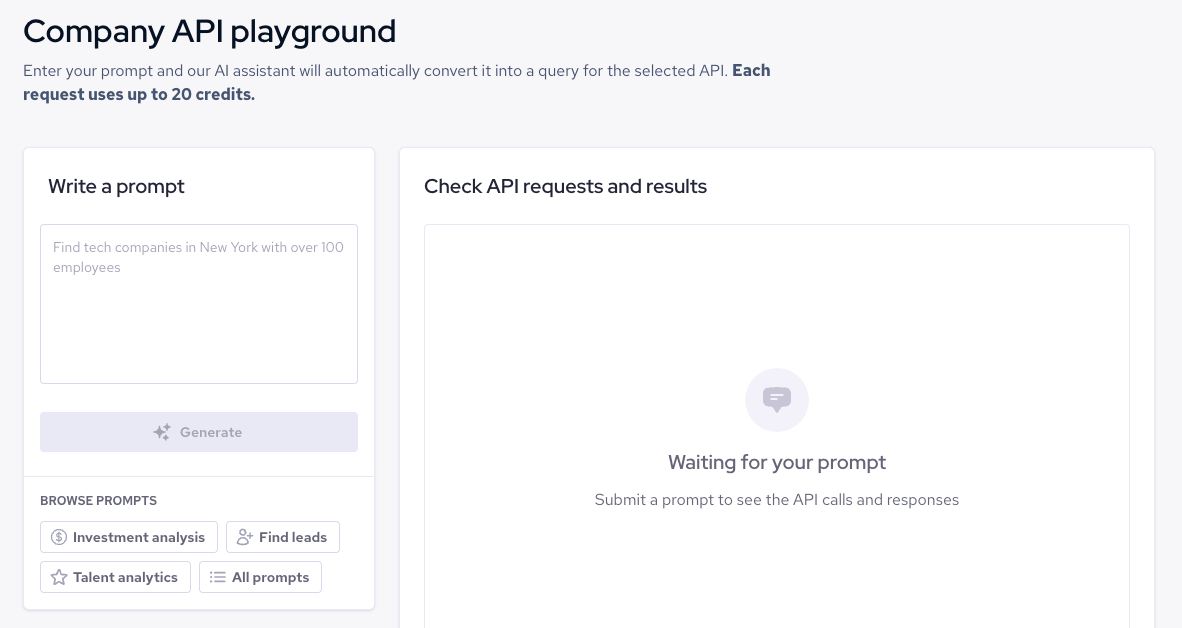
Playground for developers
A multi-source company data API saves you the work of collecting, cleaning, and merging company information from different sources. Instead, you get structured, ready-to-use records that fit into your existing tools, workflows, and AI applications.
To see how it works, sign up for our self-service platform and start a 7-day free trial with 2,000 data API credits, with no credit card required. You can test queries in the developer playground and explore the data before choosing a plan. Paid plans start at $49 per month.


