



If you’ve worked with a B2B database, you’ve likely run into this problem: the data seems reliable, but the insights are already out of date.
Global data is growing faster than ever. Statista projects that global data created worldwide will hit 182 zettabytes in 2025 and almost 394 zettabytes by 2028. These huge numbers might be hard to picture, but they make one thing clear: success depends on having access to organized, reliable, and constantly updated information.
Still, finding an organized, complete, and scalable B2B database and a provider to keep it up to date is one of the biggest challenges for data-driven teams.
Over the years working with data, I’ve noticed that prospects and clients often ask the same questions, especially about B2B data. That’s why I decided to share my answers and insights. I hope to make this a series, so if you have other topics or questions about data in mind, feel free to reach out to me on LinkedIn.
What are the leading B2B data providers today?
In my experience, there isn’t a single best B2B data provider for every organization, and the right choice depends on your needs and how you plan to use the data.
For example, a provider that’s great for AI training might not work as well for sales prospecting. What matters most is whether the database covers your target markets, pulls information from several reliable sources, removes duplicates to maintain accuracy, and delivers data in a format that fits your workflow. How often the data is updated and how it’s organized also matter a lot.
Below, I listed insights about the top 4 company data providers currently in the market.
Coresignal:
- Provides company, employee, and jobs data through APIs and datasets.
- Offers three data tiers: Base (structured), Clean (structured and cleaned), and Multi-source (integrated and enriched).
- Offers data suitable for many use cases: market research, AI training, sales, investment, marketing, and HR tech.
Bright Data:
- Operates as a web data platform with proxy infrastructure and scraping capabilities.
- Provides both ready-made datasets and tools for custom data collection.
- Focuses on broad web data acquisition across multiple use cases.
People Data Labs
- Specializes in person and company profile data with identity resolution.
- Delivers data primarily through APIs for real-time enrichment.
- Emphasizes connecting individual profiles across multiple data sources.
Mixrank:
- Focuses on technology adoption tracking and competitive intelligence.
- Monitors advertising spend, tech stack changes, and digital marketing signals.
- Designed specifically for sales prospecting and competitive analysis workflows.
If you want a deeper comparison with practical selection criteria, I invite you to read about the best providers and how to use them.
Thus, when choosing a data provider, my advice is to define your use case and then compare business data providers based on coverage, structure, delivery methods, update frequency, and data quality.
How to choose a B2B database with reliable firmographic and technographic data?
If I were choosing a B2B database provider today, I would focus on three main things: how much data it covers, how often it’s updated, and where the data comes from.
- Firmographic data should include standard identifiers such as SIC and NAICS codes, company descriptions, size details, estimated headcount, industry categories, and ownership status. These fields support segmentation and filtering for most business needs.
- Technographic data should track the number of technologies a company uses, the exact names, and the dates of first and last use. This time-sensitive data shows how a company’s tech stack evolves over time, not just what it uses now.
From my experience, common data quality drawbacks include outdated employee counts that miss recent changes, industry codes that group unrelated companies, duplicate records for the same company under different names, and technology data based on old website scans rather than ongoing checks.
To avoid choosing the wrong provider, test the data with a few companies you know well before making a decision. Check if the employee numbers are accurate, if the industry labels fit, if the technology data matches what you see on their websites or job ads, and if there are any duplicate records. You’ll quickly see if the data matches its claims when you do this kind of check.
What is typically included in a B2B dataset for sales and marketing?
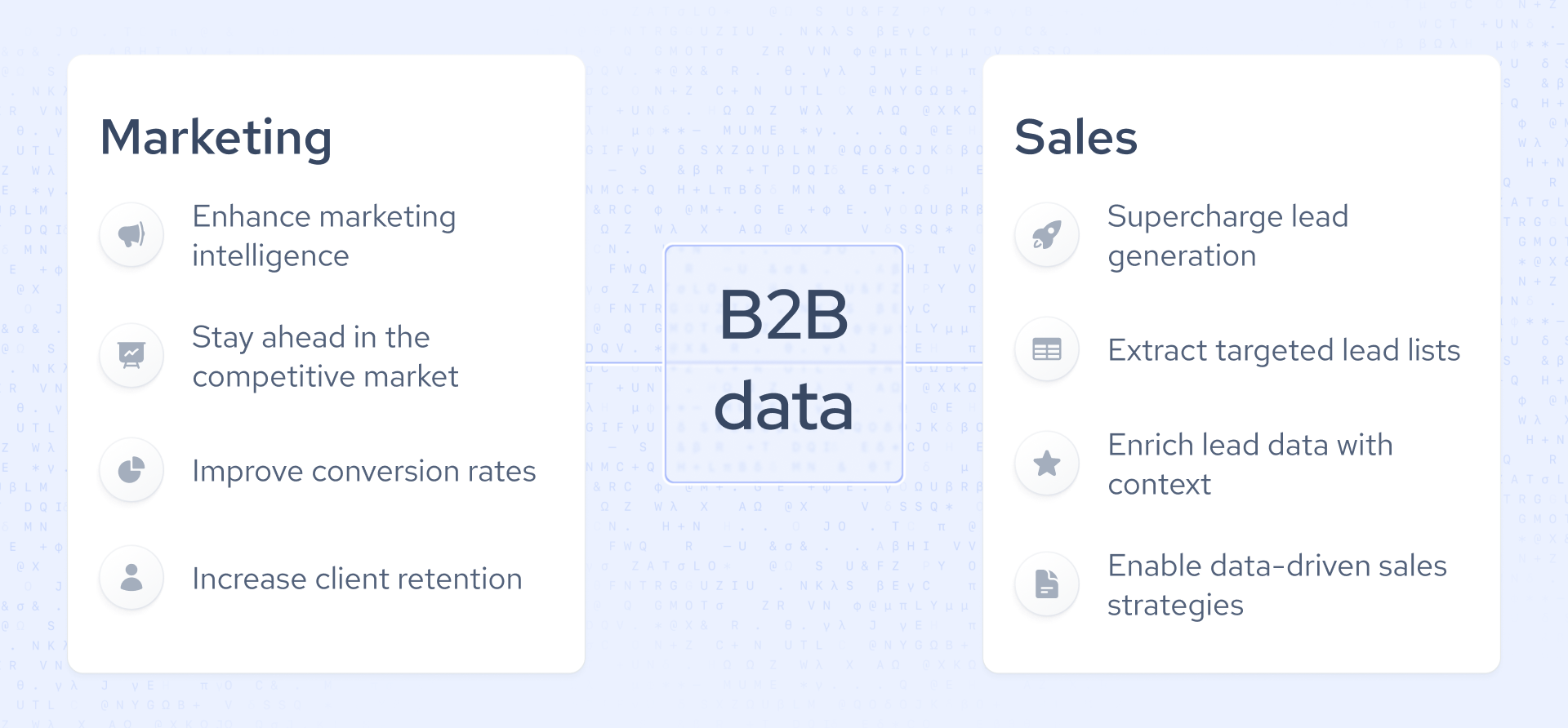
From my work with sales teams, I’ve found that the best B2B sales databases aggregate data from multiple sources. The most useful datasets include employee headcount, technology usage, and hiring trends.
Based on this experience, we continuously improved our Coresignal Multi-Source datasets and APIs to deliver the context sales teams need to close their next deal:
- Multi-source data for richer, more contextual company profiles.
- Companies are segmented by size, industry, technology used, and location.
- Organizational change tracking to uncover intent signals.
- API access for automation.
Data for marketing intelligence has very similar requirements: detailed audience insights that go beyond basic demographics. These include firmographics, intent signals, and market trends that show where demand is increasing. Good B2B datasets help marketing teams segment audiences, identify high-intent prospects, update targeting as companies change, adopt new technologies, or expand into new markets. Getting daily or real-time updates helps your campaigns reach prospects at the right time, so you avoid wasted ad spend and irrelevant messages.
Here’s how Coresignal’s data can help you scale your marketing intelligence:
- Spot market changes early with datasets updated daily or monthly.
- Work with enriched data from multiple sources that covers millions of companies, professionals, and job listings.
- Leverage AI-driven insights and historical data to deepen your analysis.
What does a B2B dataset for market research usually contain?
Good B2B datasets for market research provide the details and background you need to improve your competitive intelligence:
- Historical company data to track growth, changes in staff numbers, and long-term performance.
- Hiring data to show signs of company growth and new business priorities.
- Geographic coverage so you can compare markets in different regions and worldwide.
- Segmentation details like company size, revenue, industry type, and technology use.
For example, if you’re considering entering the healthcare SaaS market, reviewing hiring trends can indicate whether companies are expanding their technical teams. Reviewing historical headcount data helps you determine whether growth is steady or temporary. Breaking down the data by region can guide you on whether to target the U.S., Europe, or emerging markets.
To keep up with these market changes, Coresignal provides company, employee, and jobs data from multiple sources, with wide coverage, historical records, detailed segmentation, and frequent updates. Moreover, the data is AI-enriched with additional data fields. Below, you can check some of the data fields you would find in the Multi-Source Company API.
Using this kind of data, you can base your market research on recently updated information rather than assumptions and make decisions more confidently.
How much does a B2B data API cost?
The cost of a B2B data API depends on the provider and the pricing model. Most vendors offer three main options:
- Dataset purchases. Pay per record or as a bulk package for full datasets.
- API access pricing. Typically priced per record delivered via API, often using a credit-based system, with monthly or annual subscription plans available.
- Managed services. A fully managed data collection solution where the provider handles sourcing, aggregation, enrichment, and ongoing updates for you.
Also, reputable providers often offer free trials or sample access, allowing you to test dataset quality and coverage before committing.
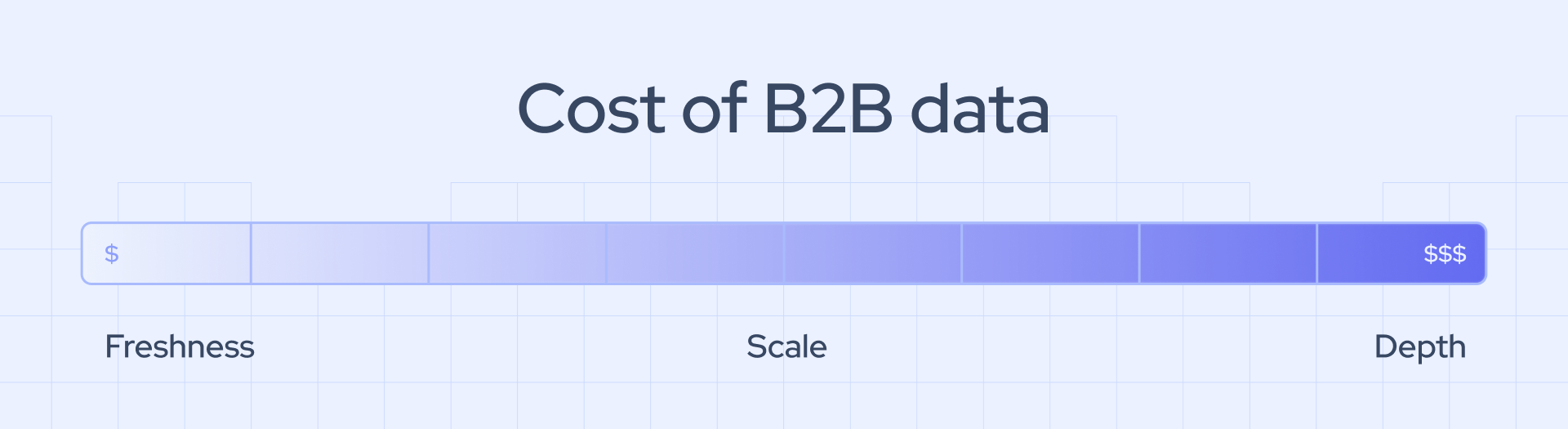
The cost of B2B database or API highly depends on three main factors:
- Freshness. Maintaining accurate, up-to-date data requires ongoing investment in systems and people, which costs more than static or quarterly datasets.
- Scale. Covering more areas and handling more records means data teams need more resources and people working in the background.
- Depth. The more layers of context added, the more human expertise and technical systems are involved.
Coresignal offers flexible pricing designed to scale from startups to enterprise teams. API plans start from $49 per month. The Starter plan gives you:
- At least 250 Collect, 500 Search credits.
- Employee, company, jobs endpoints.
- Credits reset every month.
- Elasticsearch Query DSL.
- Technical support.
- Documentation access.
How can B2B data be integrated into CRMs and marketing platforms?
There are several ways you can use data in your CRM platforms. Below, I discuss the most popular ones:
API enrichment
API enrichment links your CRM or marketing platform to a business to business database provider.
When a CRM or marketing platform links to a B2B database provider, the CRM acts as the client and sends structured requests to the provider’s API endpoints, usually including identifiers such as company domain, company name, email address, or any other data fields needed. The provider processes the request, queries its database, and returns a structured response containing normalized fields. The CRM then maps the returned fields to its internal schema and either updates existing records or creates new ones.
Flat file datasets
The flat-file upload process typically starts by extracting a structured file from a CRM, which is then matched against an external dataset, for example, a Coresignal company, employee, or jobs dataset. After enrichment and validation, the updated file is imported back into the CRM, where the new fields are mapped to the correct schema and saved.
This approach is less automated than API integration but simpler to implement initially, especially for large updates, database cleanups, or periodic enrichment projects. At Coresignal, we provide flat-file datasets in JSON, JSONL, CSV, and Parquet formats to support this workflow.
Automation workflows
Workflow automation uses technology to handle repetitive tasks or business processes without manual work. These workflows run inside the CRM or marketing platform and control what happens after data is enriched, whether it comes from an API or a flat file.
For example, if a company’s headcount exceeds a certain threshold or a new hiring signal appears, the workflow can automatically assign the account to sales, start an email sequence, or update the lead score. Unlike API enrichment, which retrieves data in real time, and flat-file uploads, which update data in bulk periodically, automation workflows carry out rule-based actions once the data is already in the system.
Data pipelines
Data pipelines operate at the infrastructure level to continuously move data between systems. They can pull data from a provider’s API or load flat files, then transform and standardize the data in a warehouse. After that, they combine it with internal sources and sync it to a CRM or marketing platform on a set schedule or almost in real time.
Unlike direct API calls, which connect a CRM to a provider one request at a time, or flat-file uploads that are manual or done in batches, pipelines create a scalable, automated flow of data that supports analytics, reporting, and operations across multiple systems.
How often should a business database be updated?
A business database needs to be updated as often as your use case requires. Below, I list a practical breakdown of why update frequency matters for different industries:
- Sales performance. Sales teams rely on accurate signals: headcount growth, funding rounds, leadership changes, or hiring activity. If a company doubled in size six months ago but your database still shows 60 employees instead of 120, your account prioritization logic is already flawed.
- AI and predictive models. Machine learning systems depend on current inputs. Outdated firmographics or employee data distort training sets and reduce model accuracy.
- Strategic decisions. Executives use aggregated B2B data to evaluate markets, competitors, and expansion opportunities. Decisions about entering a new vertical or adjusting pricing strategy can be skewed if the underlying dataset does not reflect current market dynamics.
The frequency of updates depends on the type of data, since each category responds differently to market changes. At Coresignal:
- Company data, such as firmographics and business structure, is accessible in real time, daily, weekly, monthly, or on-demand updates.
- Employee data is updated more frequently due to job changes, promotions, and shifts in the workforce, so we provide updates weekly, monthly, or quarterly to keep information accurate.
- Job posting data changes the fastest, as new positions are added and removed all the time. For this reason, updates can be daily, weekly, or sometimes monthly or quarterly.
Using outdated B2B data can quietly undermine performance across the organization: sales teams may prioritize accounts that have downsized or miss companies showing real buying signals; marketing automation workflows may trigger campaigns based on expired funding or headcount information. AI and predictive models may become less accurate if they rely on stale data.
Over time, these small errors add up, leading to poor forecasting, inefficient territory planning, weaker personalization, and decisions based on a market that has already changed.
Can B2B data be used to train AI and machine learning models
Yes, and I’ve seen firsthand how structured B2B data can significantly improve the performance of AI and machine learning models.
The 2025 AI Index Report from Stanford University shows that U.S. private AI investment hit $109.1 billion in 2024. Generative AI drew $33.9 billion worldwide, up 18.7% from 2023. Also, 78% of organizations used AI in 2024, compared to 55% the previous year.
This level of investment shows that the competitive edge is moving from just using AI to using better data.
My experience shows that the best AI training results come from using data from multiple sources. Combining these sources provides large amounts organized, cleaned, deduplicated, and text-rich data. This mix and detail help models learn more effectively.
Here are some examples of how B2B data is used in real AI projects:
- Lead scoring models use details such as company size, funding, technology, and hiring trends, along with behavioral signals, to predict how likely a lead is to convert.
- Churn prediction systems analyze workforce data to spot early signs of risk, such as changes in headcount, leadership, or department structure.
- Market segmentation models analyze firmographic data from many companies to find useful patterns.
- Entity resolution models, trained on company data, verified domains, addresses, and executive names, help fix duplicate records during CRM migrations and data integrations.
The most valuable types of B2B data for training models depend on the intended use case, but four categories consistently deliver the strongest signals. Coresignal’s multi-source company data, enriched with employee and job-posting information, provides access to detailed company attributes. We also provide people data, including job titles, seniority, career paths, and organizational structure, as well as job insights that reflect hiring priorities and skill demand.
When this information includes historical records, models can learn from patterns rather than static details, improving predictive accuracy and robustness across changing market conditions.
The quality, structure, and freshness of data all play a key role in how well a model performs. Thus, using B2B data in AI models comes with several common challenges:
- Bias can emerge if datasets overrepresent certain industries, regions, or company sizes.
- Missing fields, such as incomplete revenue, headcount, or role data, can weaken feature quality and reduce model accuracy.
- Outdated records occur when leadership, hiring activity, or funding status change quickly.
Are bulk B2B datasets better than real-time enrichment APIs?
Bulk B2B datasets deliver large amounts of structured company, employee, or job data in a single batch while real-time enrichment APIs return specific data points on demand, typically triggered by a user action or workflow. These two methods of data delivery simply serve different needs:
- Bulk datasets work best for training AI models, running large analytics projects, doing market research, or building business intelligence databases. They enable data teams to leverage historical records, build features, and identify trends across many companies.
- APIs are more useful for daily tasks such as CRM enrichment, sales automation, lead routing, and fraud checks, where teams need smaller batches of current data quickly to make decisions.
Many data teams now use both options. They rely on bulk datasets for analytics, modeling, and strategic insights, while APIs help keep systems up to date and support daily operations. Using both helps teams scale their analysis and stay flexible in their operations.
The future of B2B data and business databases
Industries like sales, marketing, and AI training need more quality data to automate their work. Models rely on consistent formats and complete records to learn patterns well. If the data isn’t structured properly, even the best AI systems can give unreliable results and waste time and resources.
As markets change, companies that rely on old data can miss buying signals, target the wrong customers, and make decisions based on outdated information. Real-time or daily updates are expected as the norm, not as a bonus.
Scalable data systems will decide which organizations can make the most of B2B data. Having millions of records is useless if your systems can’t process them, your APIs are slow, or your teams can’t fit them into their workflows. Providers who offer structure, the latest information, and scale at the same time will set the standard for data-driven business intelligence.
.webp)

