


This article is based on practical implementations of AI in outbound sales, drawing from real deployments, team feedback, and applied work using large-scale company, jobs, and employee data.
What’s built?
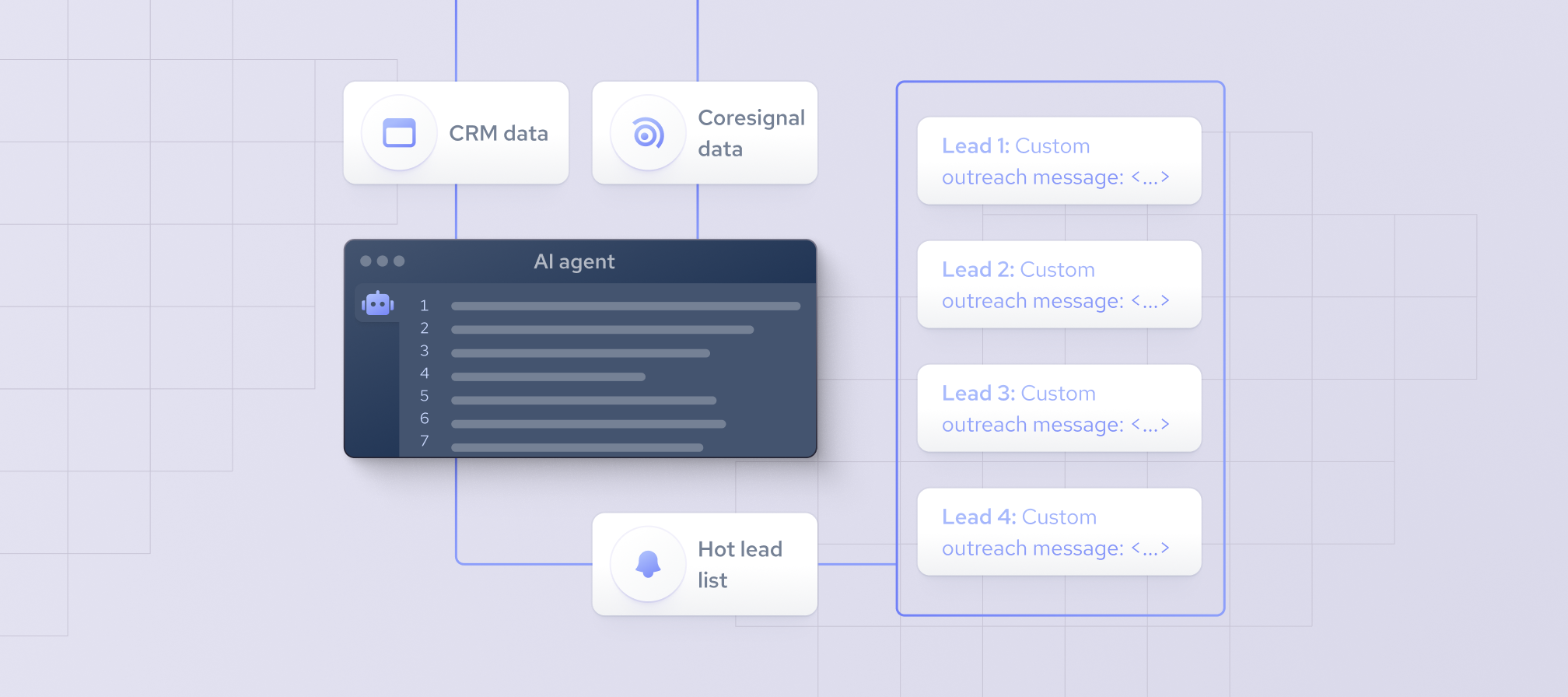
An AI SDR agent — not a chatbot — that autonomously:
- Finds leads that match your Ideal Customer Profile (ICP)
- Writes contextual first-touch messages tailored to company changes, roles, and intent signals.
- Pushes enriched contacts into your CRM and sequencing tools (Apollo, Outreach, Salesloft).
Learns from feedback (open/reply/demo/win/loss) to get smarter over time.
This is your "prospecting copilot" — AI that runs the front end of pipeline generation.
What data is used?
To do outbound right, the agent must deeply understand its targets. That means feeding it structured external data like:
B2B Intelligence from Coresignal’s Multi-Source Company Dataset
To drive high-quality, scalable outbound, your AI SDR needs data that’s rich, fresh, and unified. Coresignal offers exactly that:
- Firmographics (company size, industry, location, funding, tech stack)
- Hiring Signals (job postings, hiring velocity, department demand
- Employee Data (title graph, org structure, leadership changes)
Everything is normalized and available via:
- MCP (Model Context Protocol) for on-demand, multi-source enrichment
- REST API – for on-demand enrichment or batch queries
You don’t need to stitch together multiple vendors. This one integration scales across millions of companies, with high-frequency updates and reliable schema.
You’ll still need internal sales data — such as CRM outcomes, rep feedback, or sequence performance — to personalize scoring and improve targeting over time.
How to Build AI SDR Agents Using Coresignal?
This is a full blueprint for building a production-ready AI SDR agent using Coresignal data and modern workflow automation. It covers everything: from real-time data ingestion to contact extraction, message generation, and CRM integration.
Tools You’ll Need
Step 1: Pull fresh leads data with Coresignal MCP
Instead of relying on separate sources or costly polling, use Coresignal’s MCP (Model Context Protocol) to fetch enriched, multi-source company or employee data when it matters most.
While MCP is not a real-time streaming service, it is highly efficient for:
- Enriching new leads as they are qualified or generated
- Generating similar profile lead lists
- Refreshing data for high-priority accounts daily or weekly
- Pulling the latest job postings, firmographics, and employee changes in a single request
Use MCP as a triggered enrichment tool — for example, when an account reaches a score threshold or re-engages. Avoid frequent polling; instead, batch enrich or trigger only on high-signal events.
For use cases requiring near-real-time responsiveness (e.g., reacting to job post changes), consider Coresignal's REST API + webhooks, which are more suitable for change detection workflows.
Coresignal MCP config:
{
  "mcpServers": {
    "coresignal_data_api": {
      "command": "npx",
      "args": [
        "[email protected]",
        "https://mcp.coresignal.com/sse",
        "--header",
        "apikey:${APIKEY_VALUE}"
      ],
      "env": {
        "APIKEY_VALUE": "<api_key>"
      }
    }
  }
}
Use this setup to issue periodic, triggered enrichment requests (e.g., when a lead crosses a score threshold). Avoid frequent polling to manage costs and API usage.
You can pipe these events into a local queue or automation system. With tools like n8n or Zapier, you can trigger downstream actions based on event type and payload.
Step 2: Score Leads with Simple Rules
No ML needed.
Create a scoring formula in Airtable:
- +3 points if hiring SDRs
- +2 if company size = 50–500
- +5 if hiring VP Sales
- +1 if job mentions "HubSpot" or "Salesforce"
Only keep rows above a threshold score. This can be done entirely with filters and formulas before involving any ML.
Step 3: Identify Contacts (Optional)
Use Coresignal’s employee data or Clearbit/Hunter.io to pull:
- Titles like “VP Sales”, “RevOps Lead”
- Emails and profile URLs
Store them in your lead sheet, linked to the company they belong to.
Step 4: Auto-Generate Messages
Use OpenAI’s GPT API with a simple prompt:
- Write a short, friendly outbound email to a [TITLE] at [COMPANY], which is hiring [JOB ROLES]. Mention that they use [TECH] and might be scaling. Focus on curiosity, not a hard sell.
You can automate this in:
- Zapier (OpenAI integration)
Make (with OpenAI + Airtable)
Output gets stored as “Email Draft” column.
Step 5: Push to CRM or Sequencer
Use automation to send the enriched lead + message to:
- Salesforce / HubSpot via native connectors
- Apollo / Outreach (via CSV upload or API)
- Slack (for human review before sending)
Step 6: Track Feedback (Manual or Semi-Auto)
For now:
- Manually mark replies or demos
- Tag bad leads or weak messages
- Periodically review and improve scoring logic + prompts
Result: What You’ve Built
- Runs on auto-pilot (daily/weekly)
- Prioritizes active companies
- Crafts relevant first touches
- Pushes to sales with no manual effort
- Ready to be improved with data and complexity later
When You’re Ready to Upgrade
Once you see traction:
- Replace score rules with a real ML model
- Add feedback loops using demo/booked data
- Move to full-scale orchestration (Airflow, model retraining, dashboards)


